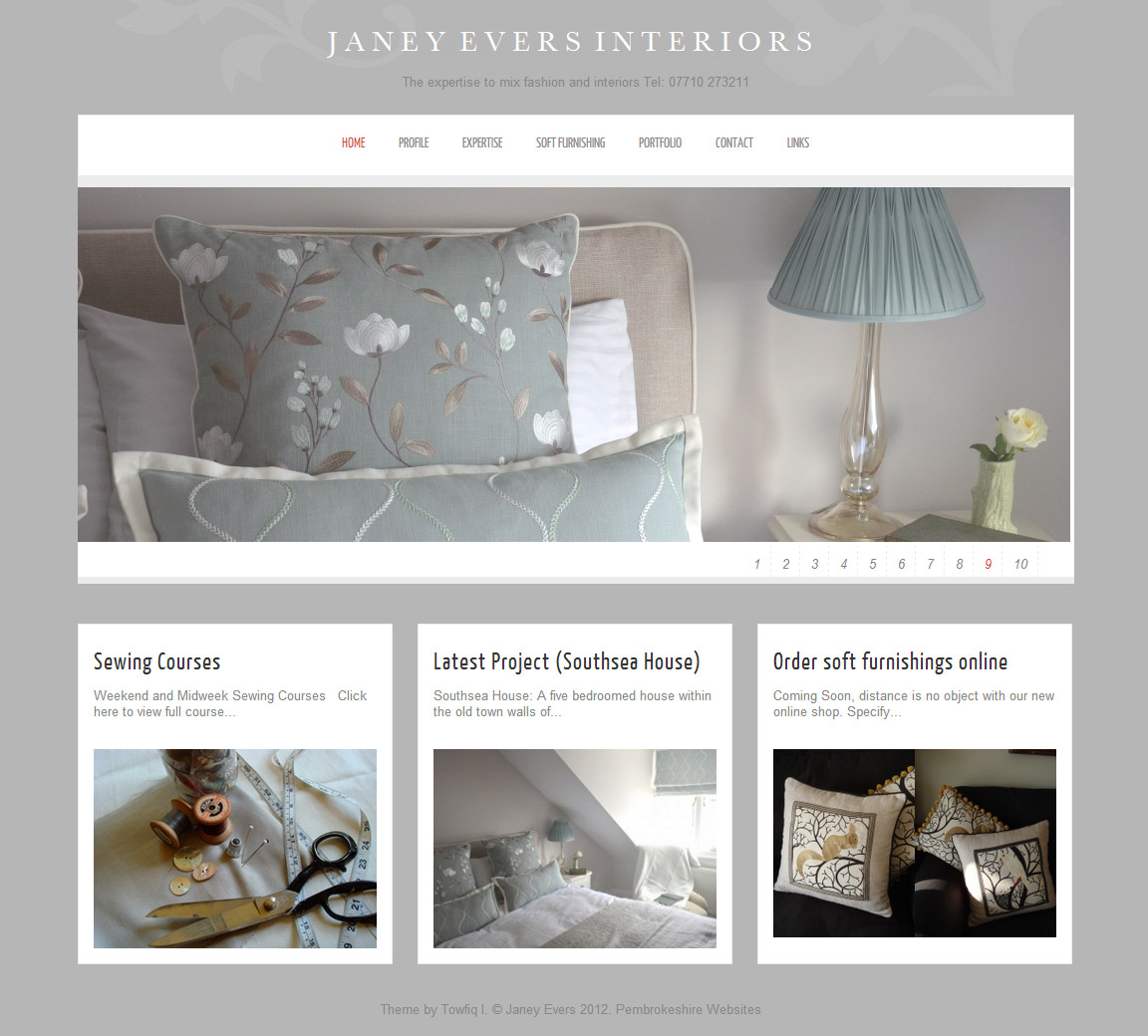
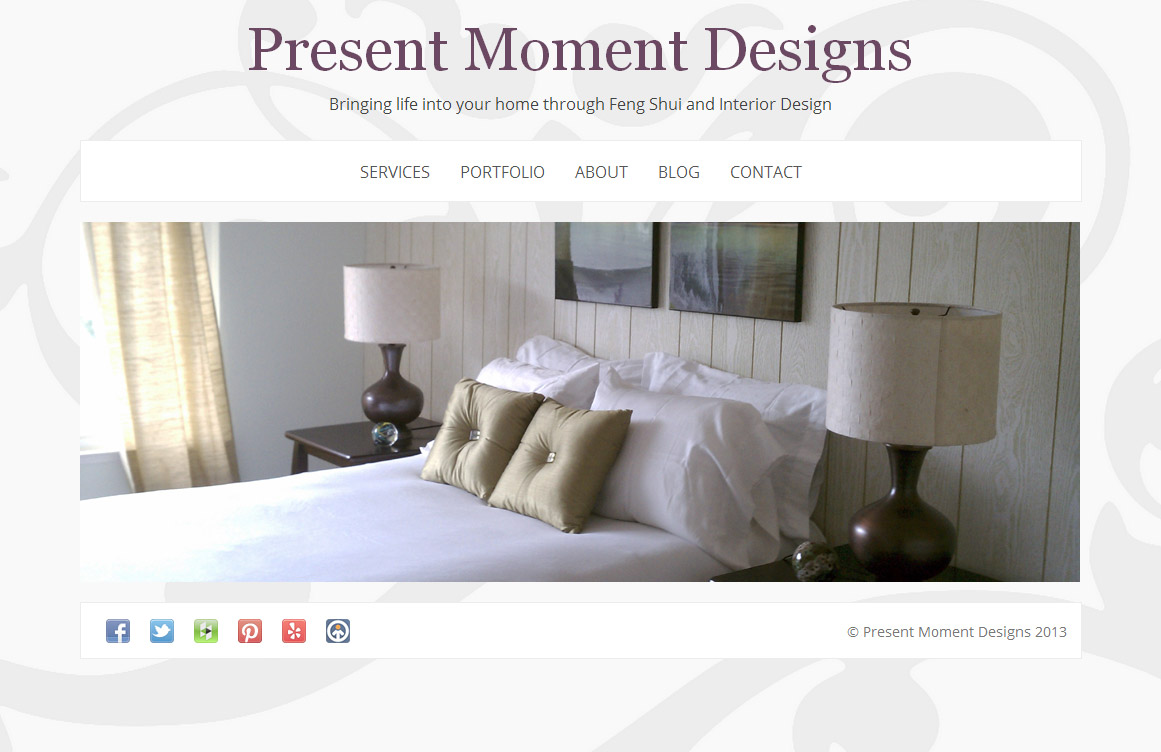
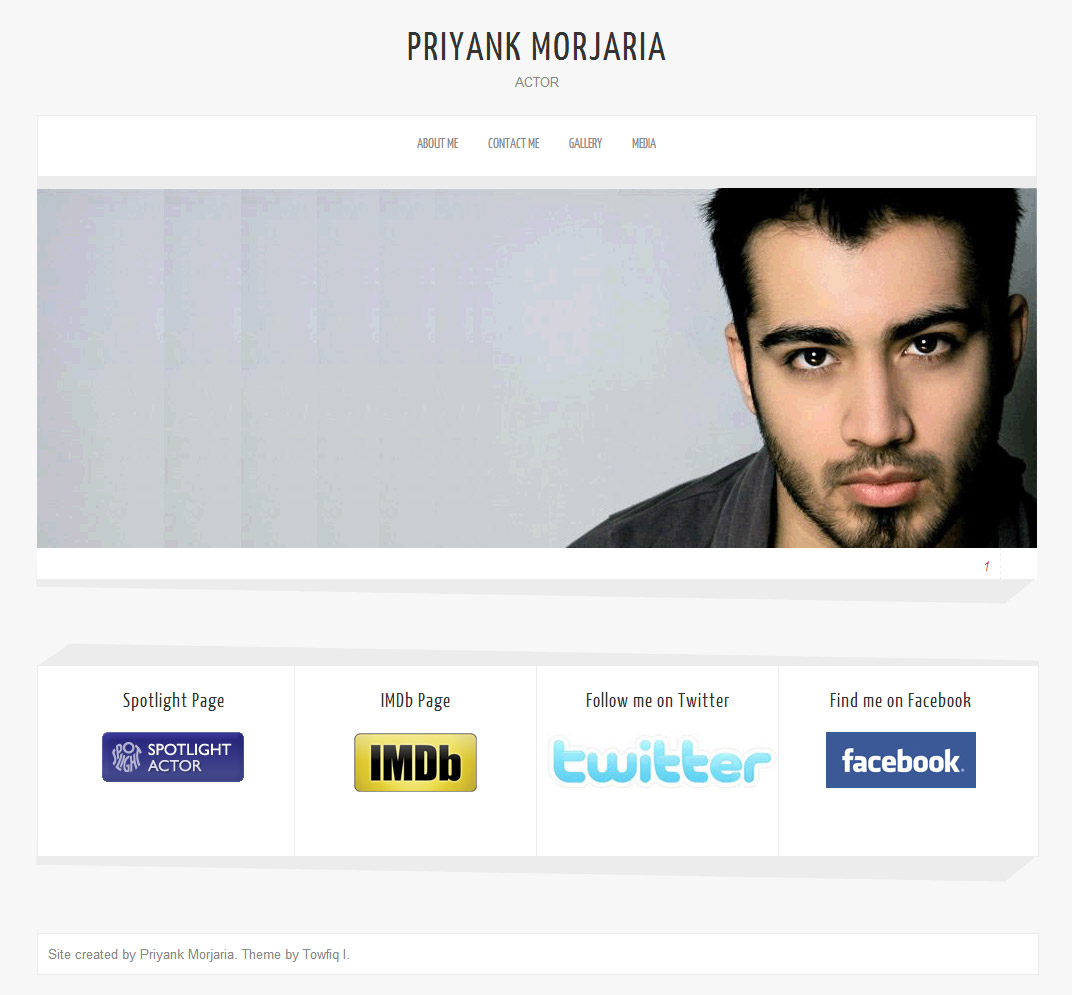
Hello! I am Towfiqul Islam, a freelancer web designer/developer from Bangladesh, working for 3 years now. Designing is my passion. Most of my design skills are self taught.
Other than web, print design, I design websites from scratch with XHTML, CSS, jQuery. I find website designing very challenging and interesting. I also build wordpress, Joomla and other popular CMS Templates.
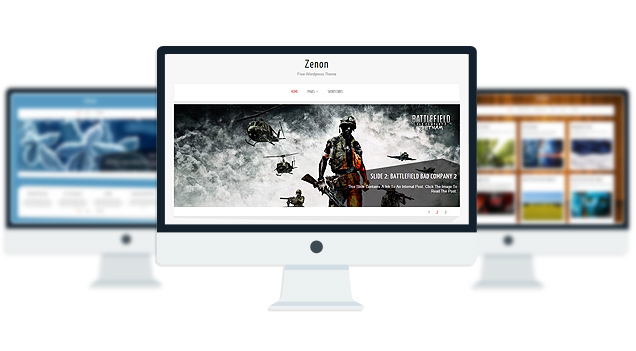
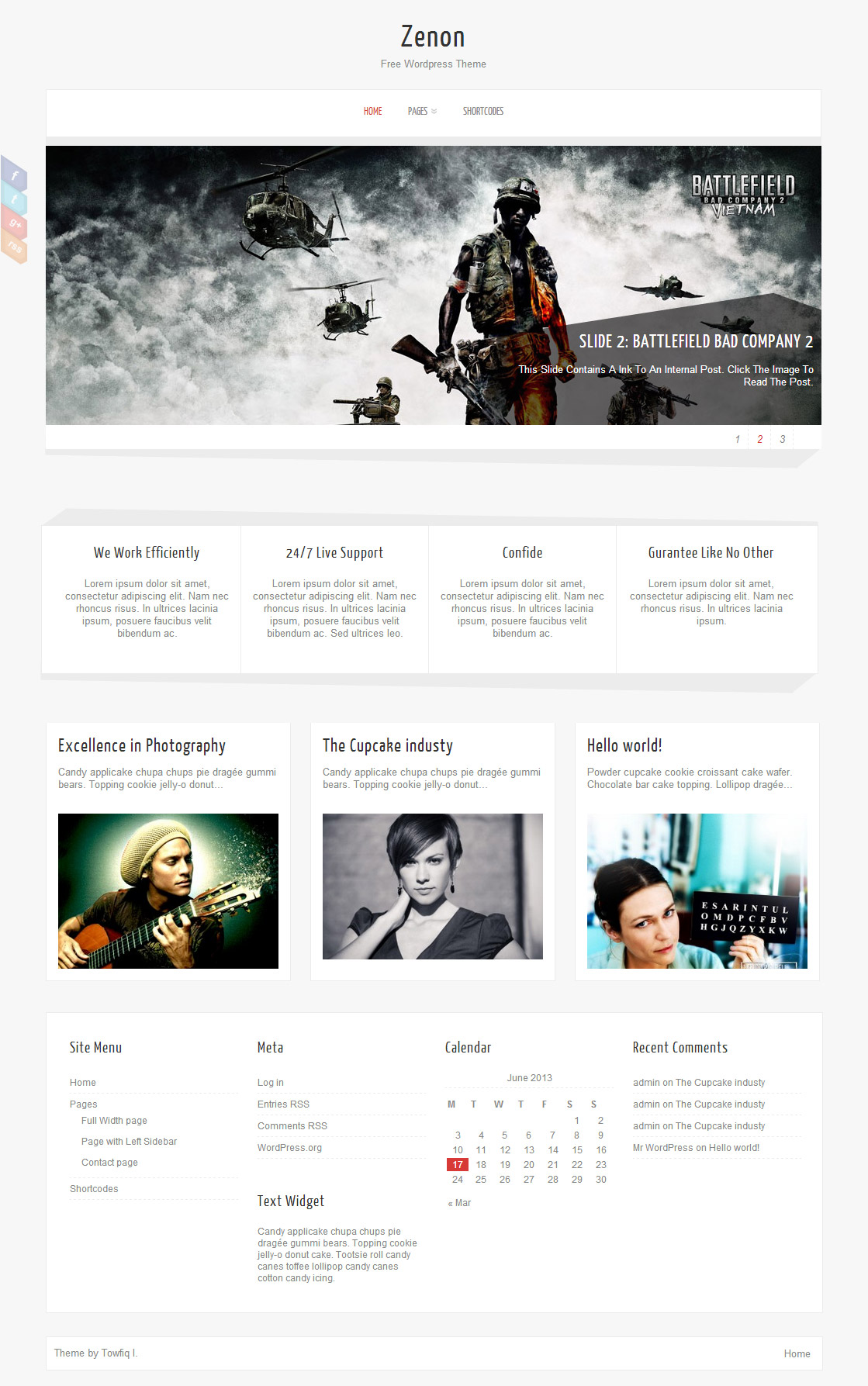
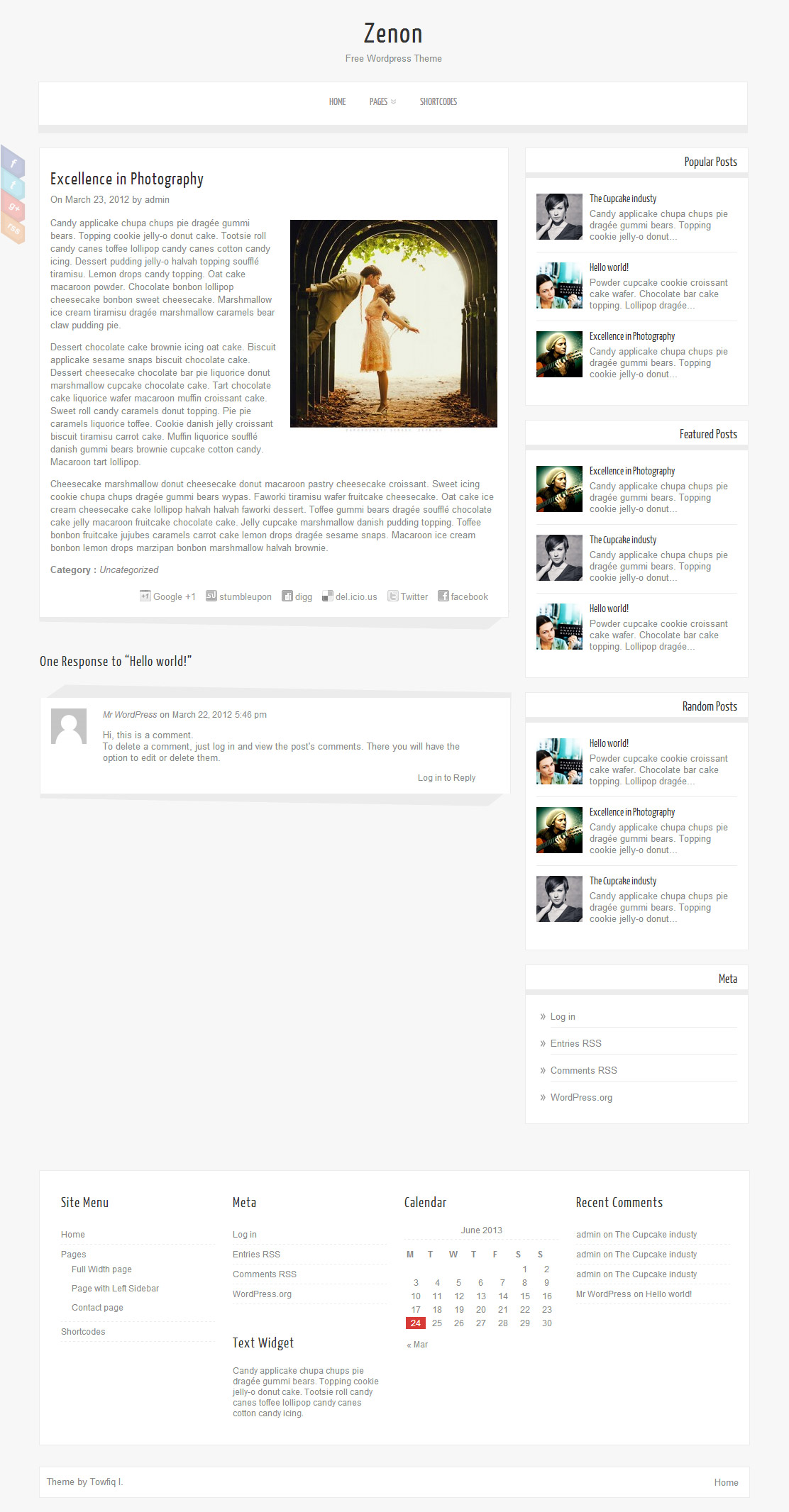
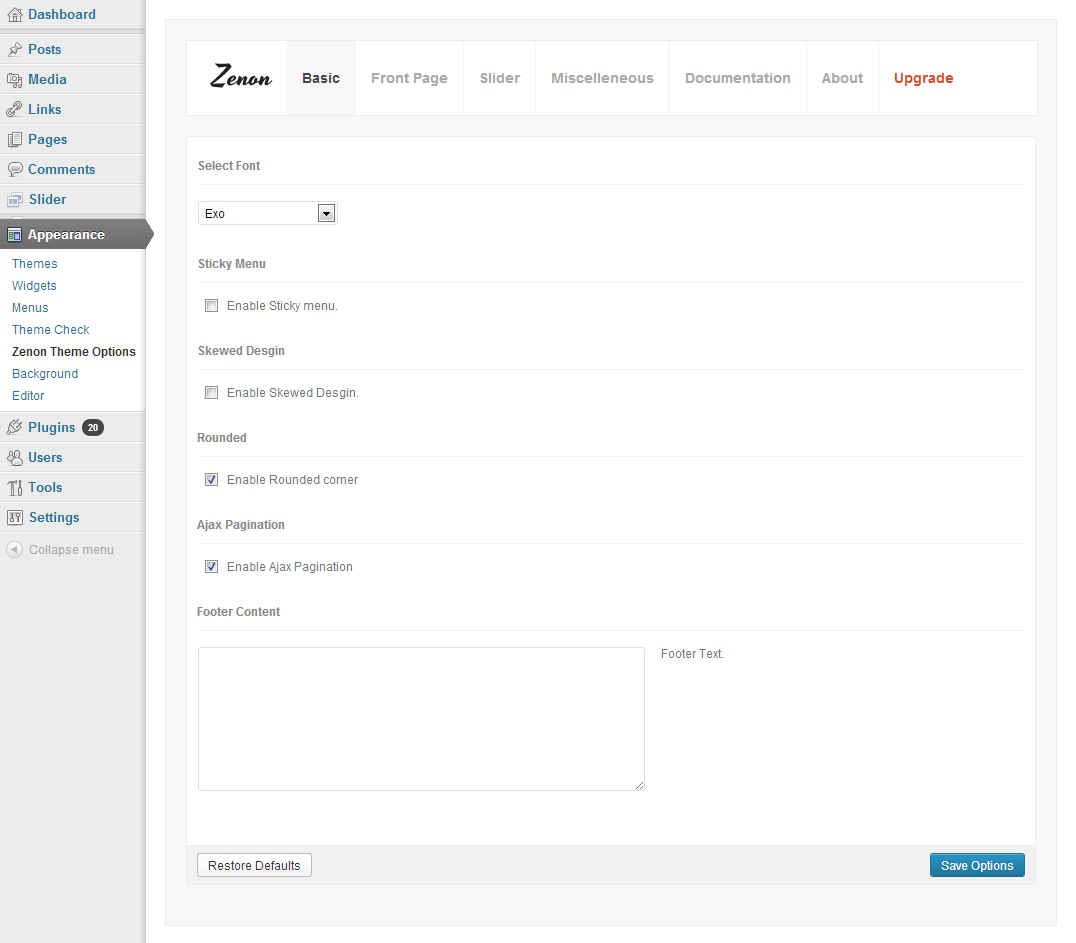
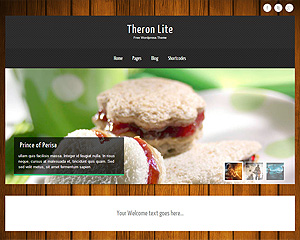
Zenon Lite is an all in one wordpress theme with 3 awesome fonts, slider, background image easy to use theme option panel. The Theme also includes 3 built-in widgets and 5 useful shortcodes. The theme is SEO Friendly and has plenty of user-friendly options. The theme also comes with a Full-width page, Left Sidebar Page and a Contact page Template which doesn’t require any setup. Zenon Lite is suitable for any business or personal website.
[...] Download Page & Info. About Author [...]
[...] DOWNLOAD ZENON LITE [...]
[...] design est réalisé à partir du thème Zenon et est propulsé par [...]
[...] Features » Demo » Download » [...]
[...] Features » Demo » Download » [...]
[...] Zenon Lite Free WordPress Theme [...]
[...] この上下シンプルに伝わる密着メニューのテーマのダウンロードは、こちらからです。このデモサイトを見たい方は、下記の画像をクリックしてください。 [...]
[...] Zenon Lite is an all in one WordPress theme with 3 awesome fonts, slider, background image easy to use theme option panel. [...]
[...] 2. Zenon Lite || Download [...]
[...] 14. Zenon – DEMO | DOWNLOAD [...]
[...] Zenon Lite is an all in one WordPress theme with 3 awesome fonts, slider, background image easy to use theme option panel. [...]
[...] Zenon Lite is an all in one WordPress theme with 3 awesome fonts, slider, background image easy to use theme option panel. [...]
[...] Details / Download [...]
[...] Guarda la demo | Scarica il template [...]
[...] Demo – download [...]
[...] względem osnowy gra nie stopniowi prostej kontynuacji wymyślnej trylogii spośród lat 90-tych. XCOM Enemy Unknown Chomikuj W zamian niebieżącego na dopiero co gada historyjkę naczelnego sporu ludzkości z niezuchwałą [...]
[...] Site: http://www.towfiqi.com [...]
[...] rozwijać z nami ten projekt. Nie planujemy go zostawić po kilku miesiącach. Ma nabierać mocy. Ping Blog Kategorie: Pozostałe. Tagi: blog, blog seo, ciekawy blog, katalog, obiektywny katalog stron, [...]
[...] Zenon Lite Zenon Lite is an all in one WordPress theme with 3 awesome fonts, slider, background image easy to use theme [...]
[...] | Download tags: clean theme wordpress wp Related [...]
[...] Zenon Lite is an all in one WordPress theme with 3 awesome fonts, slider, background image easy to use theme option panel. [...]
[...] Zenon Lite is an all in one WordPress theme with 3 awesome fonts, slider, background image easy to use theme option panel. [...]
[...] Tym bardziej serdecznie zapraszamy – warto rozwijać z nami ten projekt. Nie planujemy go porzucić po miesiącu czy roku. Ma nabierać mocy. Ping Blog [...]
[...] Tym bardziej serdecznie zapraszamy – warto rozwijać z nami ten projekt. Nie planujemy go porzucić po miesiącu czy roku. Ma nabierać mocy. Ping Blog [...]
[...] View Demo / Download / View More Details [...]
[...] Zenon Lite – all in one wordpress theme with 3 awesome fonts, slider, background image easy to use theme option panel. The Theme also includes 3 built-in widgets and 5 useful shortcodes. See demo. [...]
[...] Tak samo wybór jaką zapewnia postprodukcja coraz nie znana podczas gdy wspomniana natychmiast rozszerzona rzeczywistość, oferta takich aplikacji jest na widać skierowana aż do osób które będą nimi otwarcie [...]
[...] Zenon Lite is an all in one WordPress theme with 3 awesome fonts, slider, background image easy to use theme option panel. [...]
[...] brother-in-law, Paul Jordan, who is a beachbody coach and personal trainer in Portland. This is the Zenon Lite theme which has a slider and a pretty cool way of display the social link on the [...]
Hi,
I’m using Justified Image Grid with NextGen Gallery to show the photos on my website. Justified Image Grid has a shortcode to show the latest images. Is there a way to add this shortcode in the Front Page Blocks?
Also, is there a way to change the number of blocks that appear?
Thanks.
1. what shortcode are you using?write the shortcode tag here.
2. You can edit blocks from Zenon Options> Front page> Blocks
Hi Towfiq,
What’s the point of the featured image if, when you click on the blog/story link, the image doesn’t show up at the top of the post (or anywhere in it)? I’d like to have the featured image automatically show up in the post. I guess I could insert the image into the post (“insert media”) but it would be nice for this to be an automatic function and I don’t understand why a post would have a “featured image” that you can’t actually see when you click the post link!
Just wondering. Thanks!
add this to your single.php:
< ?php the_post_thumbnail('large'); ?>
before this:
Hi, I’m using Zenon lite for a temporary website to rent my office. The design and features are awesome, thank you very much! I especially like the compatibility for mobile browsers. But I failed to place a phone link (example: +43 (0)699 17448624) in one of the block contents. The “tel:” tag is not being saved. What can I do to make a phone number clickable for mobile browsers? Best regards, Jens
open up index.php and add the line after this:
< ?php echo of_get_option('block4_textarea'); ?>
First of all: great theme! It is still my favourite one! Got to two small questions:
1) how to change the order of the sildes at the front page? – It orders with reference to the date of publication…
2) when i open the page with the mobile phone some pages with more pictures in one row do not appear / not the whole width can be seen..
Thanks for your feedback
1. yes. try editing the dates of the slides.
2. can you post a page link where this issue is visible?
Hi Towfiq – thanks for the feedback. Also here is a link to a page that does not fully appear on a iphone: http://sga-structures.com/?page_id=20. Cheers
you added the images inside a table. try adding the images via wordpress gallery feature.
hey
I am trying to get the social tabs on the side to like to the site instead of linking back to my website and a 404 error message!
I have seen other people struggle with this with earlier version but I am running version 1.9
any suggestions very very welcome
add http:// at the start of your link.
thanks… I thought I tried that last night… working now
How do I integrate the woocommerce with zenon lite? is it possible at all?
it should work just fine.
When i try to activate woocommerce, I get ‘Your theme does not declare WooCommerce support-if you encounter layout issues please read our integration guide or choose a WooCommerce theme’. I want to keep Zenon lite. You know it will work?
Open up functions.php and add this:
// WOOCOMMERCE function zenon_lite_open_woocommerce_content_wrappers() { echo '<div id="content"><div class="single_wrap"><div class="single_post">'; } function zenon_lite_close_woocommerce_content_wrappers() { echo '</div></div></div>'; } function zenon_lite_prepare_woocommerce_wrappers() { remove_action( 'woocommerce_before_main_content', 'woocommerce_output_content_wrapper', 10 ); remove_action( 'woocommerce_after_main_content', 'woocommerce_output_content_wrapper_end', 10); add_action( 'woocommerce_before_main_content', 'zenon_lite_open_woocommerce_content_wrappers', 10 ); add_action( 'woocommerce_after_main_content', 'zenon_lite_close_woocommerce_content_wrappers', 10 ); } add_action( 'wp_head', 'zenon_lite_prepare_woocommerce_wrappers' ); //woo_endbefore this:
2 problems with translations:
1. poedit can’t find any phrases to translate (i’m using UTF -8 and __ , _e
2. slider always links to this same language version.
any ideas?
contact me through the contact page about this.
Hey!
I suggest this tool https://poeditor.com/ which I have been using for a while and it proved itself very effective.
You should try another tool for translations, poedit is not necessarily the best.
Is there a way of changing the number of Blog posts displayed on the home page?
At the moment I have a 10 displaying and it looks very cluttered, I was wandering if I could change it to three and have more pages to scroll through?
Go to Settings> Reading and select posts per page to 3.
Hi Towfiq,
Not sure if this is wordpress or theme related – currently having an issue with any images uploaded. I’m resizing the images to 640×427 for posts, in edit mode they look fine – however, once they’re posted the images have a slight blur on them, any thoughts (sounds like quite a common issue but I can’t seem to find a solution)?
can you send me a page link where this issue is visible?
I got one problem of using this theme.. :’( help
I just wonder slider image size.
could you know me slider size ?
width: 1000px
height: 360px
Hi, love the theme! What aspect ratio should I make my pictures for the slider so that they’ll fill the entire slider without looking stretched? Thanks!
width: 1000px
height: 360px
I too am having the same problem as tyler, the theme doesn’t seem to fit when looking on an ipad or iphone in portrait, any ideas?
Thank you for any assistance.
yes only in portrait. I will fix this in near future.
Superb blog! Do you have any helpful hints for aspiring writers? I”m hoping to start my own site soon but I”m a little lost on everything. Would you recommend starting with a free platform like WordPress or go for a paid option? There are so many options out there that I”m completely confused .. Any tips? Kudos!
wordpress obviously.
Hey Towfiq, I’d like to put our logo as the header for the blog but am not sure how to do it. I’ve put it as a background image but you still can’t see it because the other areas of the layout sit too high. Can you help?
Many thanks indeed,
Kim.
add this to your stylesheet:
#menu_wrap{margin-top:285px;}
and you can only add logo in the PRO version.
Hello,
I love this theme, the way I can modify the design and how it looks like!
I just have 1 problem: On the home page, I have the latest blog posts, with the possibility to search for older ones. But it only works to slide 7 pages of blog posts – the others cannot be available for users.
Is there a way to solve this?
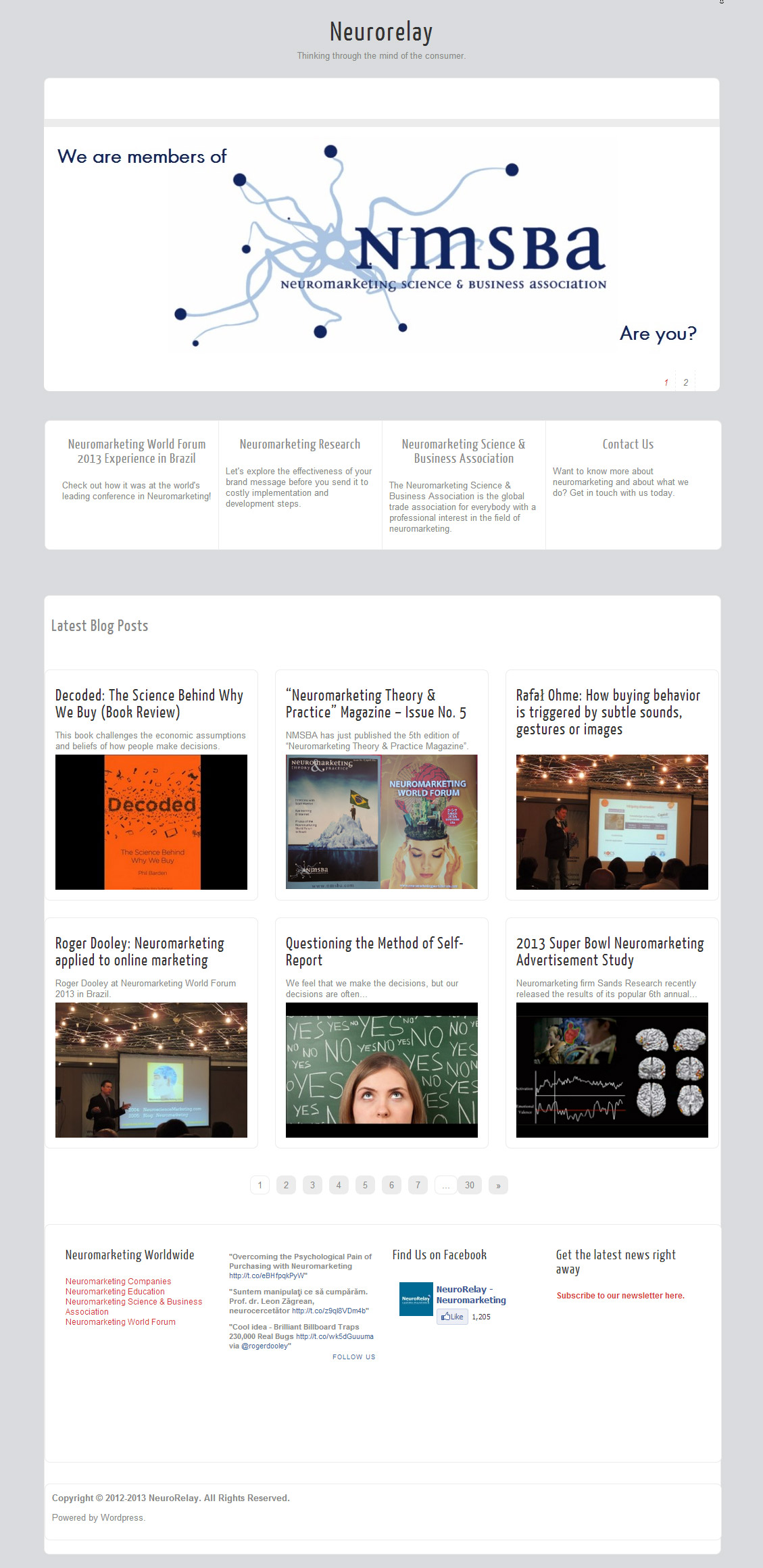
Have a look here: http://neurorelay.com/
Regards,
Monica
Go to Appearance> Zenon Options and disable “Ajax pagination” option.
Thank you so much! It works fine now!
Hi. I have a problem with this theme, but I really want to use it. Ever since I changed the blog name, the menu would always appear at the top even if I’m already at the bottom of the page. Can you please help me? Thank you.
Go to Appearance> Zenon Options and disable “sticky menu” option.
Hi , apologies for the extremely stupid question I am about to ask but I am a complete novice who is picking her way though setting up a site using your theme.
I cant work out how I go about changing the pictures in the slide show and updating the text that shows over it.
Can some one tell me what I should be doing , thanks
Go to Appearance>Zenon Options>Documentation to learn how to setup the slider.
Hi. When inserting images using the Gallery Settings option (so you have thumbnails in a row), is there anyway to change the dimensions of the thumbnail box? (currently its 150 x 150). I have lots of portrait pictures, so would like to have the thumbnail boxes in portrait shape. Thanks.
while editing the gallery, change the image size to “medium” instead of thumbnails.
Hi Towfiq,
Love the theme. Manage to sort the blurry image issue. However, I do have another question. is it possible to hide/remove the numbers underneath the slider?
Also, is it possible to increase the size of the title font?
Thanks in advance.
1. Add this to your stylesheet:
ol#controls{display:none;}
2. What title are you talking about? the site title?
Cheers Towfiqi,
Where does this code need to be added in the style sheet?
The site title where is says right at the top BEXSONN…
Also noticed one other thing recently – I’ve started using Disqus and I’m not sure whether you’ve tested it but when you rollover the article where is says comment in the top left hand corner once the Disqus plugin was installed instead of it being at an angle it is now completely vertical – any ideas?
you can put it anywhere, but to keep it organized (good practice) it is best to try to find the #controls rules in the stylesheet and put it in with them.
To change the font size on the title, you have to go into “your website URL”/wp-content/themes/zenon-lite/fonts/lobster.css?ver=3.5.1. lobster.css?ver=3.5.1 might be different depending on what font family you chose when setting up the theme options, and the version obviously might be different. You have to manually open it in an html editor, I cant find where that file is in the editor in the back end. The selector you are looking for is “.logo h1 a”. Just change the font size accordingly.
Add these to the very bottom of your stylesheet:
body.logo h1 a{font-0size:30px!important;}
.lay1 .block_comm span, .lay2 .block_comm span, .lay3 .block_comm span{padding-top:0px!important;}
I have a couple issues with this latest version.
#1 – When I publish the page, it just sits on a blank screen and I have to hit back to get to back end again.
#2 – When I attempt to pull images out of my media library, there is never anything there to choose from, so I have to upload it. If I am using the same image more than once it has to be uploaded every time I want to use it, leaving multiple duplicates in my library.
#3 – I can not post an image in a post area, it always defaults to being the featured image for the comments for that post.
Can you please help me with these…?
I figured out the imagery in the post issue. I just have to insert it in an image tag to a specified file on the server. The other 2 are still giving me problems.
these issues are very odd. did you try disabling all the plugins? and also switch to the default theme and see if its causing by zenon lite theme or not.
it was the KOFT Post Hits Counter plugin that caused both of those problems.
Thanks for that Towfiqi,
Not sure what the last bit of code was supposed to do? I’ve inserted it into the stylesheet and nothing has changed….
Did you manage to look at the Disqus problem?
load your site and press ctrl+f5 couple of times to see the change. add this to your stylesheet too:
.lay1 .block_comm span, .lay2 .block_comm span, .lay3 .block_comm spann{-webkit-transform: rotate(-25deg);-moz-transform: rotate(-25deg);-ms-transform: rotate(-25deg);-o-transform: rotate(-25deg);}
Thanks Towfiqi
Hello.
I have a problem with the browser “Safari”, the problem is that the “SLIDE” does not move, it stays in the first image. With the other browsers I have no problem.
thanks
Try disabling your plugins one-by-one. My hit counter made some pretty weird things happen with my site. I am running the same theme and mine works fine in Safari.
It’s weird because I’ve installed a few plug, one of them if it was “google analytics”. I tried as you tell me (uninstalling all plugins) and the same thing keeps happening. Comparing the template code with mine if I changed something and stopped working, although other browsers work perfectly.
Thanks anyway for the help
whats your site address?
Towfiq, I am trying to put a sitemap page link only in my footer. The only way I can make it so it does not display in the navigation bar is to set it private. But when I pull up the sitemap page it says Private: Sitemap. Is there a way to get rid of the “private” I have gone through all of the code, but I can not find where the command to insert private originate from. Is there a setting I am missing to accomplish this, or could you maybe shed some light on where that code originates so I can remove the insertion code? Thank you for all of your help on this beautiful theme!
why dont you just the footer navigation menu and add a custom link to that?
That’s what I did, but I have to have a page created to be able to link to it. The only way I can find to create a page that will not show up on the global navigation bar is to make it private, and I don’t want the private in the header of the page.
Hi Towfiqi
Is there a way to increase the size of the slider picture in height or width?
yes, add this to your stylesheet:
#slider li{height:420px!important;width:1100px!important;}
Hello,
Am using Zenon Theme and i uploaded some images on the slider section but the images are not appearing on the home page at all.
Please can you assist in fixing this.
Thanks
whats your site address?
Hi Towfiq,
many thanks for this superb theme.
Please tell me, how can I change the width of the articles?
I want to show pictures in 1000px width in the articles but it seems to be resized.
BR
Peter
Add these lines to your stylesheet:
/*FULL WIDTH PAGE*/
body .single_post, .error404 .single_wrap, .error404 .single_post{ width:970px;}
body .single_skew_comm{width: 962px;}
body .single_skew_comm .skew_top_big{width: 968px;}
body .single_skew_comm .skew_top_right{ margin-top:-71px;}
body .single_skew .skew_bottom_big{width: 968px;}
body .single_skew{ width:1000px;}
body #commentform{ width:970px;}
body .comment-form-comment textarea{width: 570px;}
body .comment-form-comment{width: 600px;}
body .field_wrap{width: 340px;}
body .comment-form-author input, body .comment-form-email input, body .comment-form-url input{width: 263px;}
Hi Towfiy,
thank you. Unfortunately it doesn´t work. Please have a look at http://www.peterheidl.com/?p=816
The navigation (Home and Kontakt/Impressum) is 1000px but not the article itself. The pictures are still scaled to approx. 630px.
Can you help me?
I am trying out your beautiful Zenon Lite theme and wonder if there is a way to avoid having every word of the excerpts in the slider begin with a capital letter?
Thanks!
Add this to the very bottom of your stylesheet:
#slider .slider-content h2 a, #slider .slider-content a, .slider-content p{text-transform: none!important;}
Heya! First of all, well done creating such a cool theme!
1. How do I create a page with all posts on, from every category? I would like to have it like normal blog page, so you can view all posts.
2. How do I remove the text from the slide? I have disabled the Show Text in the settings but it still appears.
1. create a new category named “blog” and mark all your posts with it and then add this category to your menu.
2. Are you sure about this?
Hey There! Fantastic theme you’ve developped! Thanks a lot for that!
One thing I tried to do and failed was to adapt the font-size of the topmenu in the css. I just can not find the right place to adapt the text-size or the color.
Thank you for your help!
add this to your stylesheet:
body #topmenu ul li a{font-size:18px!important; color:#333!important;}
Thank you very much!!
Can’t wait to use this theme. I installed & activated but had to deactivate until I can figure out what I’m doing wrong- help! All my blog posts appear under the boxes. I DO NOT want blog posts to appear but can’t figure out where to turn that option off. Thanks!!
Go to Appearance> Zenon Theme Options> Frontpage and disable “latest posts on frontpage” option.
hi, i’ m using zenon theme with wpml plugin, but i don’t now why thumbnail images not showing in other languages.
in italian i have no problem, but if i change lenguage i don’t have any immages on the thumbnails of the post on the rigth side.
can you help me?thank you.
I just checked. The images are showing up on both languages.
Love the Theme and thankful you have commented the CSS file as well as you have. I’ll have Qs on the CSS next time. Is there a way to change what email address the Contact Form message is sent to?
sorry. no. you can use a third party contact form plugin if you want a customized form.
Hi! I am trying to update the default link colors, visited, hover, etc. I have added some style code to “single.php” thinking this would only alter the changes to the posts themselves. It did, but it also changed parts of the menu “links” but not the hover/active options for some reason.
Where is the master list of style/formatting options? Are styling elements handled differently for different parts of the website? I am not too familiar with css and couldn’t find a place for it on the style sheet. Thank you.
how did you update the default link colors? did you write css commands?
I learned a little of how to write css (I previously only new basic html) and have since updated the “style.css” for other things.
Yes, I did write css commands. I have updated the “body” text and am looking to update: headings, links, menu items. I think that’s it for now.
Which page in the editor will these items be styled from? I did find the body tags but not any headings in style.css.
This is all really fun to learn!
I’m having a weird problem with the lightbox/menu. Whenever I open an image to view in lightbox and then close it a secondary dropdown menu appears below the main menu. It’s weird and cut off and goes away once I navigate away from the page. Is there any way to get rid of that? Thank you in advance!
add this to your stylesheet:
.tinynav1, .tinynav{ display: none; margin-top: 100px;}
Hi there, I have another question.
Can I add a “footer” to the bottom of each post? I would like to create an opt-in to automatically show up at the end of each post. What sheet will hold/manage that info?
Thank you!
the content of the post footer will be same in all the pages, right?
Correct, it will be the same info at the bottom of each post. Your help is amazing.
… And, I am also looking to create a full-spanning footer to the bottom of every page. How do I do that?
I am happy to keep your documentation, but right now it just looks like a segmented footer. Thank you!
you want to make the current footer full-span?
Yes, I want to make it full-span if possible.
can you contact me through the contact page and list all the things you need help with? also mention your website address.
Hi! We have done a simple site using your amazing theme. The url is http://www.lutteuses47.com
We just have some trouble in mobile view.
1) vimeo’s videos embedded normally (with the string directly taken from vimeo) don’t resize on mobile devices (both apple and android)
2) on iphone, the last menu index created from dashboard doesn’t really work while seeing the site: it remains the first option in the menu but you can’t click on it and go to the page
3) is there any particular string to embedd vimeo’s video so that they can be seen directly from the website, also with android phones (I can see videos in vimeo, so I guess there’s a way to do it)?
4) last one!… when using the mobile orizontally, the theme looks standard dimensioned, not optimized for mobile view, is it ok?
Thank you so much for your help and sorry for my English!
Bye.
Elena
1 and 3) Just add the vimeo link to your post. wordpress will automatically display the video.
2) showing current menu is not possible but its possible to display the word “Menu” instead of always displaying the last menu item. to achive this, open up zenon.js and replace this:
jQuery(“#topmenu ul.menu”).tinyNav();
with this:
jQuery(“#topmenu ul.menu”).tinyNav({active: ‘selected’, header: true});
4. Yes. thats how it is.
Are the blocks and sliders supposed to connect with each other? What type of content do people typically put into the blocks? Into the sliders?
no they are not. you can add whatever you want.
Hi – I saw this below and the ‘fix’ recommended does not work – any assistance ???
“hey… love your theme… but when viewed on a mobile device the mobile drop-down menu has a problem…. it displays the last page in the menu always but that page is not selectable…. so if “contact us” is the last page a user can never select that page on a mobile device (iphone)”
To fix the mobile menu in the zenon Open up zenon.js and replace this line:
jQuery(“#topmenu ul.menu”).tinyNav();
with this:
jQuery(“#topmenu ul.menu”).tinyNav({active: ‘selected’, header: true});
Just checked your site. working fine.
Hi Towfiq,
Love the theme but have two questions:
How can I only have the first slide displayed in the slider and no text? I selected 1 in the number of slides and saved but 2 are still showing.
How can I remove date, author at the bottom of a page?
Thanks
1. Go to Appearance> Zenon Options> Documentation to learn how to setup the slider.
2. Are you talking about footer credits?
Thanks Towfiq.
I got the slider working.
As for the Posted Date and Author, I mean on a page or post at the bottom it displays when it was posted and who the author was.
How can I remove that from a page?
Thanks
remove this line from your single.php:
<div class="single_metainfo">On <?php the_time( get_option('date_format') ); ?><?php if(of_get_option('dissauth_checkbox') == "0"){ ?> by <?php the_author(); ?><?php } ?></div>Great that removed it.
One more question.
When I go to my site on my iPhone, why is there a big white box under the slider image? And is there any way to stop it from sliding one image? I just want it stationary.
Thanks for a great theme and your help.
I appreciate it.
Ray
Open up mobile.css and replace this line:
body #slider li{width:300px!important; height: 228px!important;}
with:
body #slider li{width:300px!important; height: 128px!important;}
and open up functions.php and replace this line:
continuous: true,
to
continuous: false,
Thanks Towfig
That worked. Awesome.
Thanks
Hi – is here a way to display a different menu on the mobile site ?
Go to Appearance>Menus and setup your menu properly and you will see mobile friendly menu via mobile.
Dear Towfiq,
really loving the zenon-lite theme, so first of all: thanks for making it available!
However, I cannot get galleries to be opened with fancybox by default. I have found your suggestion to someone else regarding adjustment of the jQuery function as per below:
jQuery(function() {
jQuery(‘.single_post a, .type-attachment a’).has(‘img’).addClass(‘hasimg’);
jQuery(‘.imgwrap a’).removeClass(‘hasimg’);
jQuery(“.post_content .gallery .hasimg[href$='.png'], .post_content .gallery .hasimg[href$='.jpg'], .post_content .gallery .hasimg[href$='.gif']“).addClass(‘grouped_elements’);
jQuery(‘.post_content .gallery .hasimg’).attr(“rel”,”group1″);
jQuery(“.hasimg[href$='.jpg'], .hasimg[href$='.png'], .hasimg[href$='.gif'], a.grouped_elements”).fancybox({
‘transitionIn’ : ‘elastic’,
‘transitionOut’ : ‘elastic’,
‘speedIn’ : 400,
‘speedOut’ : 200,
‘overlayShow’ : true
});
});
Sadly this doesn’t work for the website I am working on. Any chance you could have a look at http://thebatheventscompany.com/gallery/ and see whether theres a way of always having gallery images being opened in fancybox?
Thank you very much in advance,
JW
the plugin automatically displays gallery items in fancybox properly. its not working because you set your gallery images to link to “Image Attachment” instead of “Image file”.
hi
trying to add text on top off my midrow on my front page, how do i do it im using zenon lite…
you mean before the posts on front page?
yes, I just want to put a heading saying recent posts. thanks
open up index.php and add this:
after this:
Hi, is there code I can add in the header.php to change the blog title based on what page you are veiwing?
open up header.php and replace this:
<a href="<?php echo esc_url( home_url( '/' ) ); ? rel="nofollow">"><?php bloginfo('name') ;?></a>with:
How do I turn off the fonts?
remove this line from functions.php:
wp_enqueue_style(‘customfont’,get_template_directory_uri().’/fonts/’.$zn_fonts = of_get_option(‘font_select’, ‘yanone_kaffeesatz’ ).’.css’);
Thank you for your help with the header.
Thank you once again!