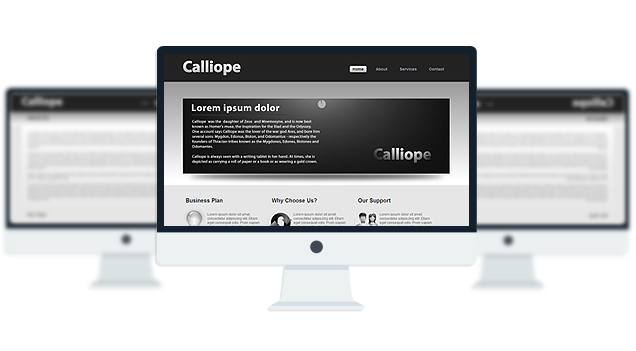
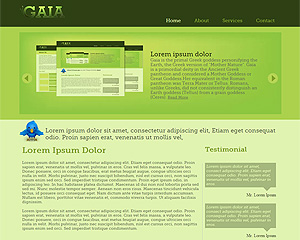
Hello! I am Towfiqul Islam, a freelancer web designer/developer from Bangladesh, working for 3 years now. Designing is my passion. Most of my design skills are self taught.
Other than web, print design, I design websites from scratch with XHTML, CSS, jQuery. I find website designing very challenging and interesting. I also build wordpress, Joomla and other popular CMS Templates.
This is amazing
I enjoy working with computers, and plan on studying computer science. I only wish i already knew so that i could create amazing work just like you
i love it
¡Gracias!
Cool!Amazing web template! I chosed among hundreds (or thousands…) By the way is the flash available to modify?
Thanks!And keep going the same way!
yes! you can modify it.
dear all, i am facing a problem with this template .i am using it as a subdomain.when i open the template in my machine from local folder all is well but after uploading it in my server @ http://www.arnabsoft.mobtent.com the animation is not playing in index page.i have check the xml and other files and i also uploaded it multiple times. So i need your help egarly.
in the image folder the images are saved as “Slide1.jpg” & “Slide2.jpg”
Rename them to “slide1.jpg” & “slide2.jpg”
Love this Template. Is there anyway to get the PSD files so that I could use my own colours?
Thank u verymuch admin……you people are awaresome……keep going…….Thanks a lot again
this template is amazing but I am not sure how to modify the flash. I went through all the files through editors and can’t find the text. How do you modify the flash.
Thanks!!!
put your desired image files in the image folder. Now open up config.xml file
and find these lines:
<slides> <slide> <url>images/slide1.jpg</url> </slide> <!-- changing transition between first & second slide --> <transition num="1" direction="down"/> <slide> <url>images/slide2.jpg</url> </slide> <!-- changing transition between second & third slide --> <transition num="1" direction="right" shader="flat" /> <slide> <url>images/slide1.jpg</url> </slide> <!-- transitions properties defined in transitions template --> <slide> <url>images/slide2.jpg</url> </slide> <transition num="4" direction="up" shader="flat" delay="0.05" z_multiplier="4" /> <slide> <url>images/slide1.jpg</url> </slide> </slides>change the slide1.jpg and slide2.jpg with your image file names.
Hi,
I’m getting the error:
The parent theme is missing. Please install the “Calliope” parent theme.
Any ideas?
I also have the same problem for you Gaia theme:
The parent theme is missing. Please install the “Gaia” parent theme.
Thanks in advance!
Roy, this is not a wordpres or a joomla theme, this is a xhtml template.
how can i add a description text for each of the images? i have added description tag with header value inside silder but it doesnt work for me. any luck? appreciate your help.
Open up config.xml file and
add this line:
right after any of these lines:
for more option read cu3er’s official documentaion
Hi, good work.
I wanted to know if it possible to modify the config file to allow one to open the image as a link
yes it is i just found out from the docmn.. add
http://example.com in the slide node and voila!
Just want to tell you that this template is really great!!!
not able to see the demo?
Fay check now.
Hello Towfiq! Thank you so much for making this template free and open source. I was testing out my webpage, and I can’t seem to get the flash animation working. I only changed one thing in the config.xml file (the slide1.jpg) and that’s it. Now, my flash banner doesn’t load. Can you help?
http://mapleware.info/index_test.html
Thank you.
There is a typo in the config.xml file .. the first letter of “slide1.jpg” , “slide2.jpg” should be capital. It should be
“Slide1.jpg” , “Slide2.jpg” . Slide1.jpg and Slide2.jpg file should exist in images folder in order to run the flash component.
Hello, thx for template, but I have a question:
Everything works fine on my wamp server but when I upload on my ftp, the flash slideshow doesn’t start, the “loading” icon goes to full then, nothing, any ideas?
maybe apache version, or something like that?
thx for help guys
read this tread!
Caps sensitive, remember that guys.
Slide != slide
thx anyway guys
Great work!
You should add the Slide1.jpg=slide1.jpg instructions to the readme.txt file….. or have both versions, will save a lot of questions!
May I ask which fonts did you use for the logo image?
I’d like to keep the “fat” look of Calliope. i love it….
Hi I cant seem to add pictures to the site, i want to add a PNG button i created in photoshop, when i preview the website in dreamweaver it is as if the file is missing and there is no image.
Hello man, the template is really great. I have a strange problem. I have done other page with ” Save as ” . And when i open it in my site, i don’t see the template, only the text i have added.
Post your site address, I have to take a look.
Thanks for the quick reply
kakaduu.net
The problem pages are
http://kakaduu.net/TV%20Shows/Gossip.html
http://kakaduu.net/How%20i%20met%20your%20mother.html
It is weird for me.
Thanks for the quick reply
kakaduu.net
The problem pages are
Gossip Girl and How i met your mother in TV SHOWS. ( the other are not ready )
It is very weird for me
Your stylesheet and images are called from your desktop. for example:
file:///C|/Users/Manuel Radev/Desktop/calliope/style.css
it should be:
http://kakaduu.net/style.css
replace all these lines:
file:///C|/Users/Manuel Radev/Desktop/calliope/
with this:
http://kakaduu.net/
Thanks a lot for the support. When i make the site i will put a banner of your site if you want. Have a nice day.
i love it. free and beautiful
Very nice. I never leave comments but it’s worth taking the time to thank you for being so giving. You also have some nice premium templates and I wish you the best of luck with getting people to notice you exceptional work.
Thanks!
hey Towfiq I.! your template is awesome… but sorry to say this but i’m having problems after i uploaded it to my server.
after i uploaded all the files in to my server afterwards all i’m looking at is just texts… there are no images , there is no flash appearing?
can you help me out here please … thank you
Prat There is a typo in the config.xml file .. the first letter of “slide1.jpg” , “slide2.jpg” should be capital. It should be
“Slide1.jpg” , “Slide2.jpg” . Slide1.jpg and Slide2.jpg file should exist in images folder in order to run the flash component.
Thanks so much for this template—I love it and it works great!
THANK YOU SO MUCH!!!
everything is working fine now… thanks a lot… take care
Love this website, and that it is free. Can I be cheeky and ask for some help? On the flash animation I have removed the back and forward buttons and increased the time between transitions. However, I would like the timer to be a simple start/pause button. Is that possible? Thanks.
Not sure. Check out the documentation:
http://docs.getcu3er.com/cu3er/functionality
hi. trying to edit
but 2 things.
the black bits on the left and right side of banner/header at top of page wont let me add anything there, seems to be blocked.
also background image, wont let me align it to fit in with the page.
thx. (no site yet as editing before upload)
Not sure what you are trying to do, can you please elaborate?
Soz
nevermind about the background image for now:P
but the banner/header at the top. its black all the way across, however at the end on both side it doesnt let you add anything there….
hope that makes sense :/
What are you trying to add? Are you trying to add something where the menu is?
A lil picture. Not where the menu is, but right next to it
how are you adding the image? What happens when you add it?
Ok thanks..
I was using dreamweaver.
well. i basically drag and drop .. or i try to place it in but it wont let me add it in.
topnotchservers.net/jared (my friend gave me this domain as a tester to see what it would look like)
If you see what i mean.. at the very end of the black header at the top it doesnt let you add anything there.
ive tried drag and drop like i’ve said and also placing it in but it wont let me
I don’t what software you are using to drag and drop. You should add image like this:
1. Upload your image to “images” folder and add this codeto index.html file, after menu:
deweryt
Hi Towfiq,
How to use this template? whether this should be put into css style?
its not a wordpress theme. its html template. You have to now html to use this.
Hi,
Nice template but I don’t how to use it
Good morning,
I made all the changes you suggest a package in the config file and still generates the error of not viewing the images of the slice
Hi when i try to add this into my website instead of the slides it shows this http://prntscr.com/hxpdx any idea how to fix? thanks
how can i apply this template to my wordpress/ website?
this template is not for wordpress.
Hi, thanks for the template, I like it very much, I have a question, how could I insert a url in the slides1 and other in the slide2? thanks very much
open up config.xml and add this:
after this line:
Hello,
Fantastic web template thank you very much. I can’t get the cuber animation to play. I upgraded to cuber pro and licensed my site. but I can’t figure out how to get the animation to play.
Thanks Shawn
the cuber slider is working fine on your site!!!
Thanks I figured it out reading the comments. This is a great template. You are very talented!
Thank you!
One last question:
How do I edit the pointer in the menu? example: Pointing the Contact button to a Contact html page.
open up index.html and notice how I linked the about.html page to the about menu.
Having an issue working with the Cu3er slides, on novoveridi.com, can you pinpoint what the issue may be for us?
I just checked your site, the slider is working fine..
how to put more slides. ?
I LOVE THIS TEMPLATE! I recolored the images and changed the background to fit my website. The scheme is black header, white/black text and orange background. I would like to know if I can change the color of the footer to black, the text on it to white (Twofiq I. in orange if you would prefer). Thanks
yes you can. you can remove the footer credit link if you want.
thanx a lot..This is an amazing Template!
good for travel sites check it out! giyahan.6te.net
Really like your design. Will integrate WordPress. But in my job I need to remove a link, do you allow?
yes. go ahead.
Hello,
Love the template! I’m having an issue where whenever I change one of the four header hyperlinks, the white box that highlights the specific header is cut off on the sides when the cursor is over it. How does one remedy this?
Thanks very much!
can you send me the page link where this issue is visible?
Ah, thank you. I was editing using Web Expressions, so when you change the link, it screws up the coding, causing the problem I had. One must mimic the format of one of the functional links where the coding can be edited directly.
Thanks again!