About

Hello! I am Towfiqul Islam, a freelancer web designer/developer from Bangladesh, working for 3 years now. Designing is my passion. Most of my design skills are self taught.

Other than web, print design, I design websites from scratch with XHTML, CSS, jQuery. I find website designing very challenging and interesting. I also build wordpress, Joomla and other popular CMS Templates.

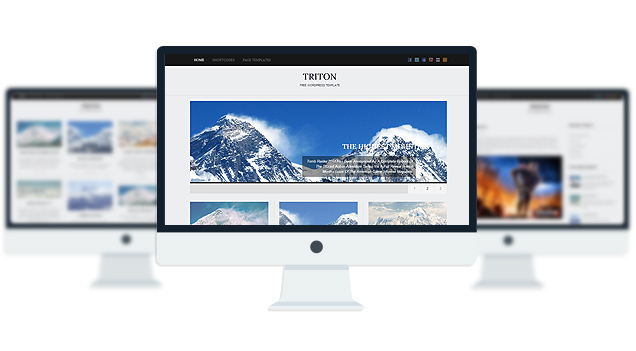
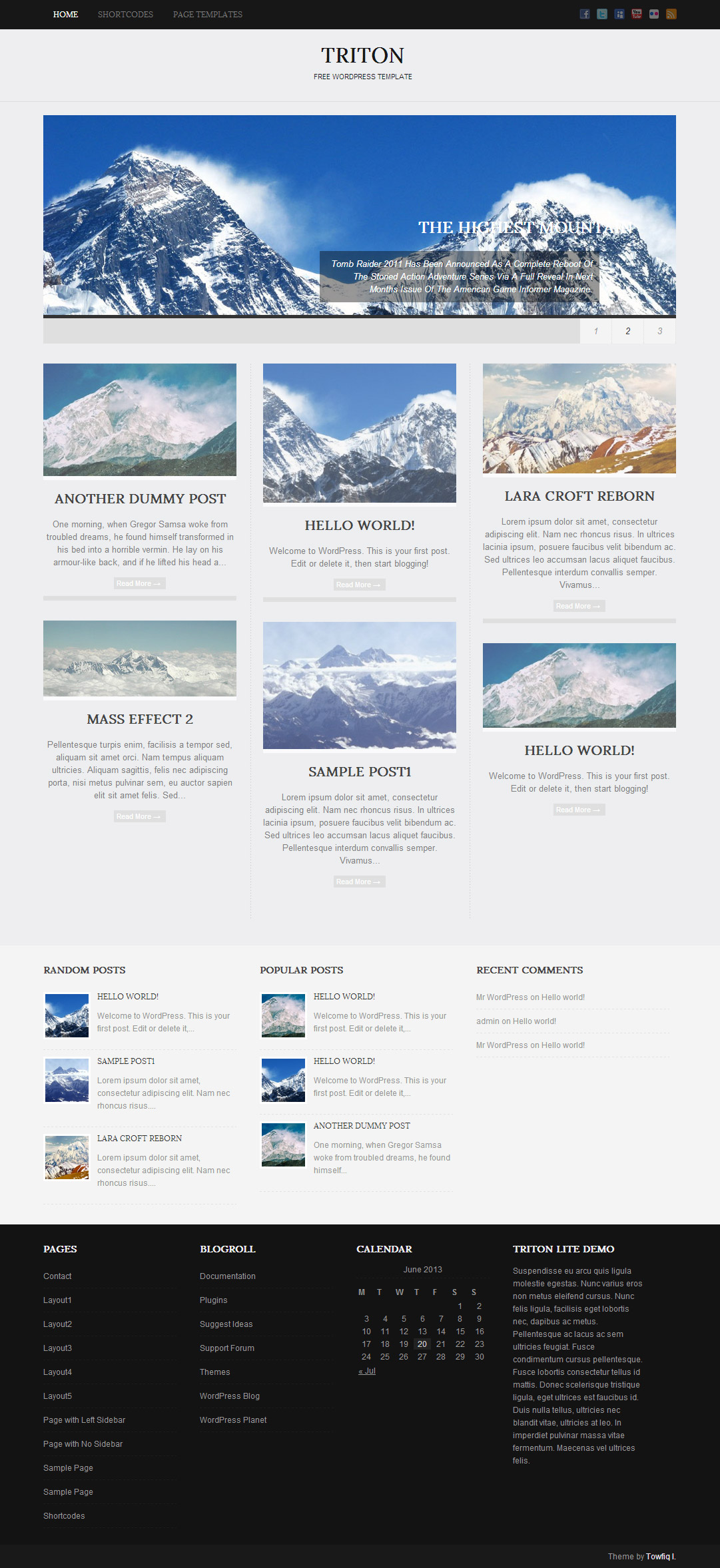
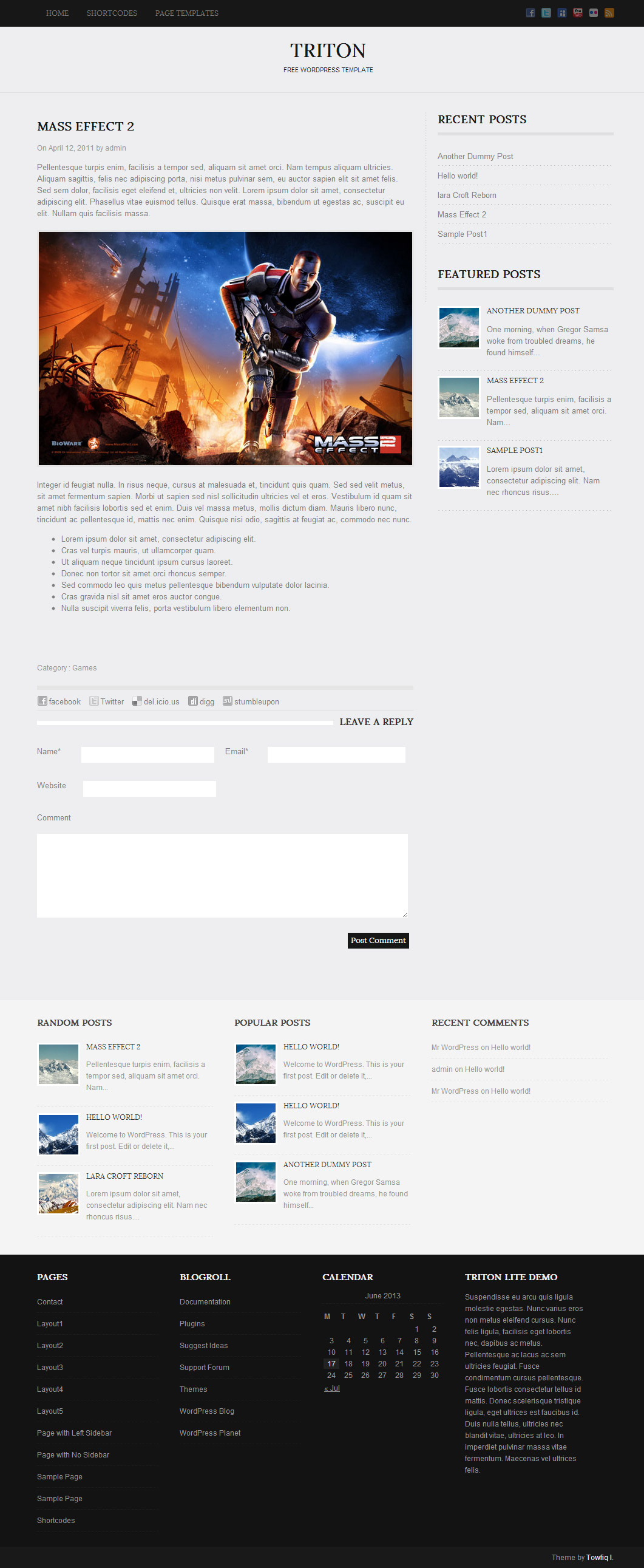
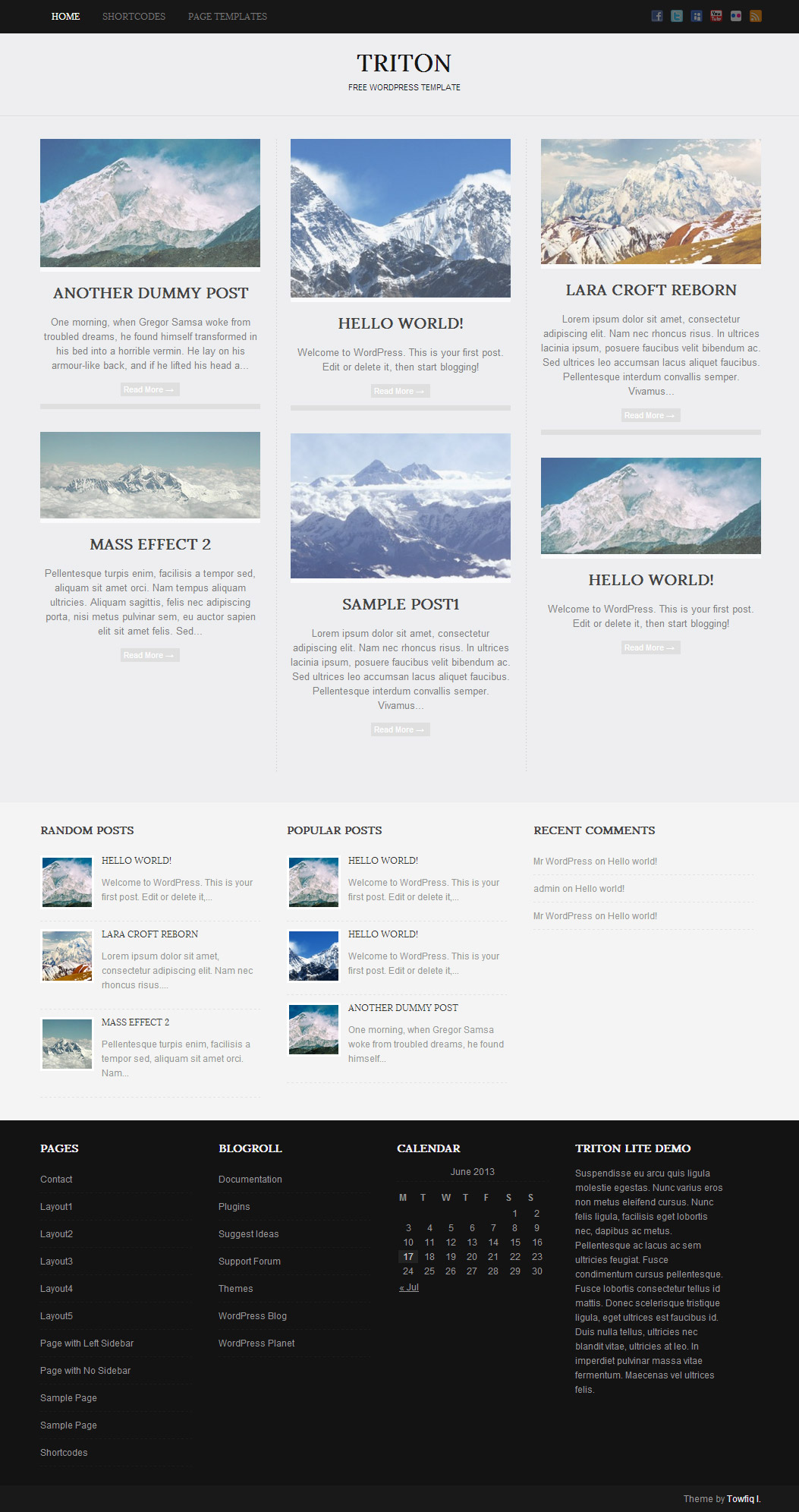
Triton Lite: Free WordPress Theme

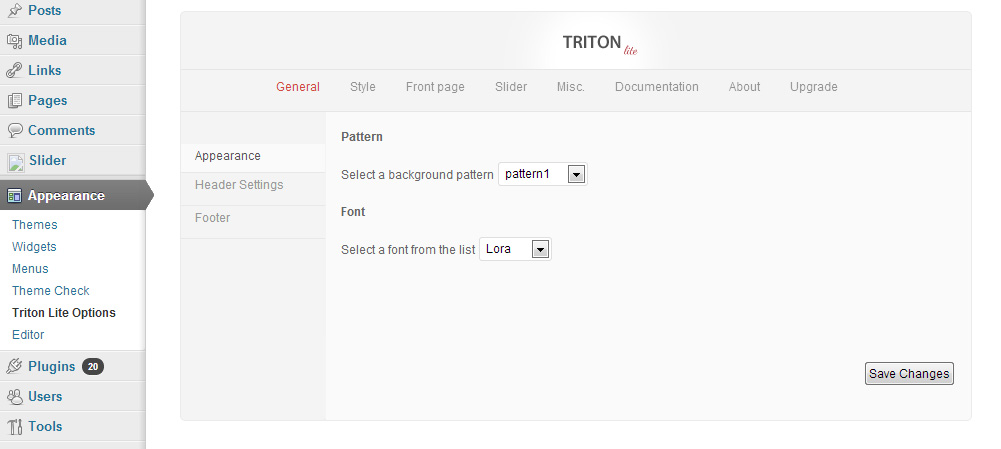
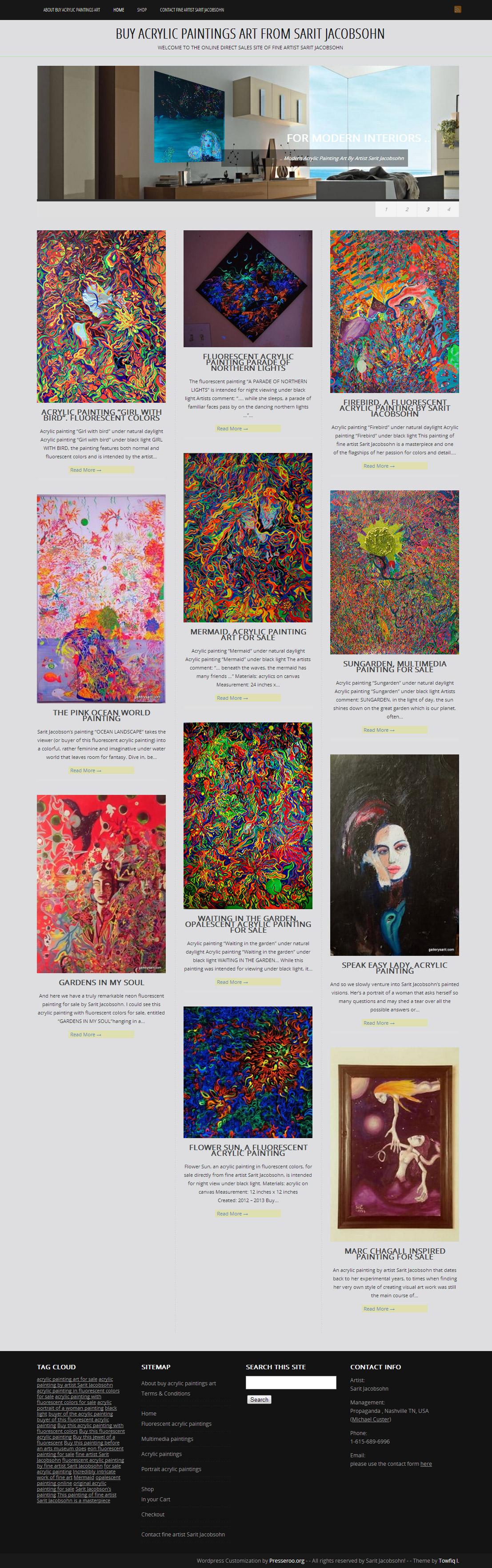
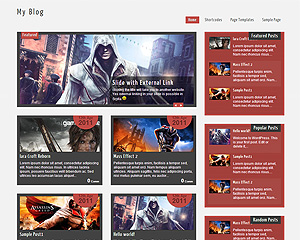
Triton is a all in one wordpress theme with awesome 3 fonts, 1 slider, 1 layout & easy to use theme option panel. The Theme also includes 3 built-in widgets and 5 useful shortcodes. The theme is SEO Friendly and has plenty of user-friendly options. The theme also comes with a Contact page Template which doesn’t require any setup.

Features

  • 3 Fonts
  • 1 slider
  • 1 Layout
  • 2 Patterns.
  • 3 custom widgets.
  • 5 easy to use shortcodes.(Hard-coded in Post Editor)
  • 1 WordPress 3.0 Menu Position.
  • Mult-Level Dropdown Menu.
  • Social buttons to submit posts to Facebook, Twitter,
    Stumble upon, Digg, Google Buzz!
  • 3 Awesome fonts.
  • Easy to use theme options.
  • Gravatar Support.
  • 3 custom page templates
  • Fancy lightbox
  • IE6 Browser Upgrade Alert!
  • Separation of Comments and Trackbacks
  • Threaded comments support.
  • Valid XHTML/CSS3.
  • Well-written documentation
  • One Click Install. No plugin required.

Compatibility:

  • Internet Explorer 7+
  • Firefox 3+
  • Safari 5
  • Opera 9+
  • Netscape 6+

1,195 Responses to “Triton Lite: Free WordPress Theme”

  • Nuno
    on October 26, 2011 at 10:44 am

    Thanks again. Totally agree with indigorchid. you have done a great work and the support you have been giving us is amazing.
    my blog (send you a link via contact form) is almost done, just need to change something.
    There’s a red line just below the logo on the header that goes from one side of the page to the other. The default was grey (i think) at 1px. changed to red at 2px but i can’t figure out how to make it the same width as the slideshow box. Added a background pattern and i dont want that red line to go over it.

  • miguel
    on October 26, 2011 at 1:33 pm

    Sorry but the pagination is not working :( I tried pagination plugins, but the problem still persists, I believe there is some problem with the loop…

  • Nuno
    on October 27, 2011 at 2:08 pm

    Thanks Towfiq, that´s it. But instead of solid red I would like the same red as the logo (#2624) How do I change it?

    Thanks again for your suport

    • Towfiq I.
      on October 27, 2011 at 3:33 pm

      #2624 this is wrong. make sure you have the proper color code. there are 6 character in every color code. for example: #FF0000

  • Nuno
    on October 27, 2011 at 4:02 pm

    Sorry about that. Your correct. My bad. The correct color code is #AD2624

  • Nuno
    on October 27, 2011 at 4:18 pm

    woooohhhhhh!!! That was fast. Thanks. Fixed

  • mishi
    on October 27, 2011 at 9:39 pm

    i cant seem to get the slider to work for this theme. any ideas?

    • Towfiq I.
      on October 28, 2011 at 3:57 am

      Did yo follow the steps that’s written in the Documentation? Go to Appearance> Triton Lite Options> Documentation .

      and post your site address here.

  • mishi
    on October 28, 2011 at 8:33 pm

    Yeah, i tried doing it that way but despite uploading the picture with the correct settings properly i cant seem to utilize the slider. I have looked through all the settings in the dashboard and have come up with nothing. Help is greatly appreciated.

  • mishi
    on October 28, 2011 at 8:36 pm

    Here is the site address

    http://66.147.244.154/~bombast2/B.I.G./

    obviously its still being constructed.

    • Towfiq I.
      on October 29, 2011 at 12:47 am

      looks like you are using a static page for homepage. Go to Settings> Reading and check this options:

      “Front page displays” : “Your latest posts “

  • Nuno
    on November 1, 2011 at 2:18 pm

    Sorry to bother again. But how do I get the contact page to work.
    I don’t see it anywhere.
    There is a page-contact.php file, but i can’t find anything in the template or the control panel.

  • Nuno
    on November 1, 2011 at 2:43 pm

    Found it in the control panel. How can i add other fields in the contact form. I would like to add the field “Subject”.
    Also, how can I add a border (arround 5px) to the fields that have to be filled?
    Thanks

    • Towfiq I.
      on November 1, 2011 at 3:04 pm

      not possible to add a new field. to add 5px border add this line to your stylesheet:

      .entry-content input, .entry-content textarea{border:5px solid #ddd!important;}

  • Nuno
    on November 1, 2011 at 10:03 pm

    is it possible to add other social icons to the header?
    I would like vimeo.

    Thanks

    • Towfiq I.
      on November 2, 2011 at 4:18 am

      To add Vimeo:
      Go to Appearance> Editor and select header.php from right and find this line:

      1
      
      <li class="soc_plus"><a title="Google Plus" href="<?php echo $option['trt_gplus_url'] ? rel="nofollow">">Google Plus</a></li>

      then add this line after it:

      1
      
      <li class="soc_vmo"><a title="Vimeo" href="link to your Vimeo url" rel="nofollow">Vimeo</a></li>

      And then click the “Update File” button below and select “Stylesheet” from right and add these lines:

      1
      
      .social ul .soc_vmo a{background:url("http://www.imgjoe.com/x/vimeoovo.png") no-repeat!important; display:block; width:16px; height:16px; text-indent:-999999px;}
  • sara
    on November 2, 2011 at 10:42 am

    hi..
    when i upload your theme.. the slidebar does work for me.. how to fix this?

  • mishi
    on November 3, 2011 at 9:33 pm

    thank you for the help with my slider issue, i wanted to know if it was possible to add a log to the footer or header bar??

  • on November 4, 2011 at 6:27 pm

    First off, awesome theme! Thank you for allowing a free version. I plan to upgrade eventually.

    I have a question about using the featured posts widget:

    I want to use six of them on the main page and I want them to show up as two rows of three. However, when I add the six they show up as one row of three, one row of two, and one row of one.

    How can I fix this?

    Thank you

    • Towfiq I.
      on November 4, 2011 at 6:55 pm

      Go to Appearance> Editor and add this line to your stylesheet(to the very bottom):

      #trt_feat_widget-8{margin-right:0px!important;}

  • R
    on November 4, 2011 at 9:27 pm

    The dropdown menu doesn’t work correctly in IE – when you hover over a in the top menu, the popup list is separated from that menu by about 10px. Also, the menu goes BEHIND the slider in IE. http://www.biz.uiowa.edu/cimbamba. I’d appreciate any help because I don’t want to change templates now.

  • Carey
    on November 5, 2011 at 3:05 pm

    I’m a little confused on the slider for the header images. I would like to put 3 pictures on the slider, but don’t want them to link to anything. When I put my images in on the slider is shows it as a post. I’m just confused I guess.

    I love the theme. It is absolutely beautiful!

    Any help you could give would be greatly appreciated.

    Thank you.

    • Towfiq I.
      on November 5, 2011 at 4:51 pm

      I assume you don’t want the text in your slides.
      Go to Appearance> Editor and select “stylesheet” from right and add these lines to the very bottom of the editor:

      .slider-content{display:none;}

  • Carey
    on November 7, 2011 at 12:57 am

    Thank you. That did the trick.

    I looked through all the comments to see if this question was asked before and didn’t see it, though I might have missed it.

    Is there anyway to Increase the size of the tagline that goes under the Site Title and make it Italics?

    Your customer support is incredible!

  • Penny
    on November 8, 2011 at 8:32 pm

    I love this Triton Lite theme. Is there a way to change the order in which the posts appear on the home page? When I add a new post it automatically puts it on the top left box. I’m just trying to figure out how to arrange the order of my posts how I want them.

    Thanks.

    Penny

  • Victor
    on November 14, 2011 at 9:31 am

    Hi Towfiq. Thank you so much for your themes. I have a question, though : is it possible not to have all the articles on the home page by default ?
    Thank you !

  • smileX
    on November 14, 2011 at 7:31 pm

    Hey, first of all I would like to thank you for this awesome theme!

    I´d used it for like two months but I just discovered a problem, the navigation for changing page does not do anything.
    I´ve checked the URL and it actually change to “mysite.com/page/2″ but the content is still the same as the first page.

    Any suggestions?

    Regards.

  • Lisa
    on November 14, 2011 at 8:02 pm

    The graphic for the slider in the admin dashboard seems to be missing. It’s pointing to slider_button.png but when I look in the files, no such file is present. I even re-downloaded and it’s not there. Can you please advise? Thanks

  • Patrice
    on November 14, 2011 at 10:16 pm

    Hi Towfiq

    Recently, I had create a new blog with your theme, I did some changes especially by changing the background color it’s work’s perfectly with your advice. The problem I have is I cannot change the colors of text titles of my pages below:
    http://animedmedia.com/blog3d.animedmedia.com/?page_id=181

    I wonder which SECTIONS in my style.css I can change the color code?

    1- Appearance
    2- Editor
    3- Stylesheet (style.css)
    Select theme to edit:

  • Sherri
    on November 15, 2011 at 2:46 am

    I was wondering if it is possible to make the slider images clickable without having to add a title to the image?

    I have some header images with text already in the header.

    The Triton theme is a beautiful piece of work by the way!

    Sherri Lynn

    • Towfiq I.
      on November 15, 2011 at 8:25 am

      Go to Appearance> Editor and select “easyslider.php” file and find this line:

      1
      
      <?php the_post_thumbnail(); ?>

      and replace it with:

      1
      
      <a href="<?php echo $trtdata; ? rel="nofollow">"><?php the_post_thumbnail(); ?></a>
    • on December 1, 2011 at 11:52 am

      I’m trying to set up Your theme for myself, and I have used your code to make slider images clickable… It doesn’t work :) . But this one works:
      <a href="”>

      I’m not php programmer, just understand it a bit :) , Can You tell me what is the difference? :)

    • on December 1, 2011 at 11:55 am

      “<a href="”>”

      Code once more maybe now Your script will show it :)

    • on December 1, 2011 at 11:56 am

      I’ve deleted “rel=”nofollow” from your code.

  • on November 16, 2011 at 11:39 pm

    I really love Triton Lite! It’s gorgeous and clean. I was wondering, though, if it might be possible for me to use my own logo in place of the existent logo text? The URL I entered in this reply form links to the development site for a project I’m working on, and upgrading right now isn’t an option (I don’t want to spend anything without permission from my client).

    Thanks again for allowing for a free theme, and I can’t wait to upgrade once I get clearance from the site owner to do so…

  • GF
    on November 19, 2011 at 4:10 am

    Hi Towfiq,
    First, thanks for the theme, it’s just… perfect. Really, thanks a lot.
    On question, nevertheless: the pictures I’m trying to post are limited in size. I don’t manage to display them at their true size (ie 800*600). Any idea ?

    GF

    • Towfiq I.
      on November 19, 2011 at 6:12 am

      so, you want to display the full image? since the size of the post content area is 620px the images inside it will be automatically resized to 600px for better visual. it will not be possible to display the images at 800px.

    • GF
      on November 20, 2011 at 9:42 am

      OK. Nevermind, i’ll deal with that. Thanks for the support…

  • on November 19, 2011 at 10:01 pm

    Hello, I am loving your theme. Using it for a client. Would like to know how I can find out how the pixel dimension for the slider.

    Thank you!

  • on November 20, 2011 at 4:48 pm

    Hi dude, awesome theme! I just need some help cos I don’t know where the log on button is on the theme?

  • on November 20, 2011 at 5:05 pm

    Me again, I’m on appearance settings trying to change customize the Triton Lite options but there’s no option to save my changes and the only tab it’s letting me on is ‘general’

  • on November 24, 2011 at 1:25 pm

    Hello, I’have bought the Theme Triton PRO, but the sidebar can’t be visualized in my website “www.casteddu.it”.

    Why ?

    Massimo

  • Pierre Brachet
    on November 24, 2011 at 4:39 pm

    Sorry, I’m a little dense, but I tried to follow the directions to create a slider and I can only get 1 slide to rotate. I’d like 3 slides that link to a different page when I click on them. Does it make a difference if I use Chrome to create the page? Thank you.

    • Towfiq I.
      on November 24, 2011 at 6:01 pm

      Go to Appearance> Triton Lite options and select the “Slider” tab and change the number of slides. Since the default value is 1, the slider displays only one slide.

  • on November 25, 2011 at 5:04 pm

    I am very new to WordPress. I just switched to this theme and I love the look. Can someone help me why is everything squished into the left side of the site? I want it to evenly fill out the computer screen?
    Thanks for any help

  • on November 25, 2011 at 7:38 pm

    I can not get the slider to work.

  • on November 27, 2011 at 9:31 am

    Editing menus no longer works right.
    When I drag a menu heading to the right to make a sub-menu it will not save and reverts to a top level menu item.

    Have you any suggestions of where to look for the problem please?

  • Sam
    on November 27, 2011 at 8:45 pm

    Hi Towfiqi – I’ve removed the text from my slides using the ‘.slider-content{display:none;}’ fix, but I was wondering if it was possible to turn the images in the slider into links themselves? I’d like to be able to link to internal content via the slider images.

    • Towfiq I.
      on November 28, 2011 at 12:45 pm

      Go to Appearance> Editor and select “easyslider.php” from right and find this line:

      1
      
      <?php the_post_thumbnail(); ?>

      and replace it with:

      1
      
      <a href="<?php echo $trtdata; ? rel="nofollow">"><?php the_post_thumbnail(); ?></a>
    • on November 28, 2011 at 6:23 pm

      Hi again – I tried this fix, but now my site returns the following error where the slider should be:
      Parse error: syntax error, unexpected ‘?’ in /home/wewerepr/public_html/samwildman.co.uk/wp-content/themes/triton-lite/easyslider.php on line 12
      Any clues? Thanks again for your help…

    • Towfiq I.
      on November 28, 2011 at 8:00 pm

      Try this code:

      1
      
      pastebin.com/yyFwY6yP
  • on November 27, 2011 at 10:25 pm

    hey Towfiqi, I just wanted to find out if it was possible to replace the top website name and description with a banner image? thanks for your time. fantastic theme!

  • on November 27, 2011 at 10:58 pm

    I love this WP theme! Thanks for sharing it with us. Can you tell me, is there a way to order the sliders? It seems right now they are set in alpha order and I’d love for my last slide to be the first slide. Any help you can give is appreciated. Thanks again!

  • Weaponx
    on November 28, 2011 at 4:21 am

    When using the no side bar page template you still get the dotted margin appearing on the right. I’ve hunted everywhere but can’t seem to remove it. Any ideas?

    • Towfiq I.
      on November 28, 2011 at 12:48 pm

      Go to Appearance> Editor and select “Stylesheet” from right and add this line to the very bottom:

      #posts{background:none!important;}

  • on November 29, 2011 at 10:27 am

    Trying to embed flv files using the HDFLV media importing videos:
    For example:[hdplay id=3 playlistid=2 width=400 height=400 ] or [hdplay playlistid=2 ] or [hdplay id=3 ]

    Does triton lite support embedded video files? If not is there another way we can embed videos?

  • on November 29, 2011 at 1:31 pm

    Hey Towfiq,
    first, thanks for the theme. i love it! very very good work!

    i have two questions.
    1. under the slider i have 3 posts in a row. is it possible to make only 2 posts in a row and then on the right side a sidebar?

    2.i only want to have 6 posts on the mainpage. this is not the problem. but when there are more posts, there comes a NEXT PAGE button. is it possible to remove this button and the page numbers?

    thx for your support!!!

    • Towfiq I.
      on November 29, 2011 at 1:35 pm

      1. A lot of template files editing is required.

      2. Go to Settings> Reading and increase the number of blog posts shown per page

    • on November 29, 2011 at 1:40 pm

      1. oh… ok, thx.

      2. i did this. this is set on 3. i just building my page and have 4 posts for testing. 3 r on the main side and 1 on page 2. but i don’t want, that there is the possibility to get to page 2. i want to remove the button “1″, “2″ and NEXT PAGE

    • Towfiq I.
      on November 29, 2011 at 1:48 pm

      set it to 4 or 5 and it won’t appear again.

    • on November 29, 2011 at 1:52 pm

      but when i make 8 posts, the buttons come again…

      thanks alot for your help!

      i love your themes!

    • Towfiq I.
      on November 29, 2011 at 1:56 pm

      hmm… The lets remove this completely from the template files. Go to Appearance> Editor and select “lay1.php” file and remove these lines:

      1
      2
      3
      
      <div class="lay1_page"><?php if (function_exists("trt_paginate")) {
                      trt_paginate();
                       } ?>  </div><div class="hidden_nav"><?php paginate_links(); ?></div>
  • on November 29, 2011 at 5:58 pm

    Is it possible to have a logo in place of the Logo Text?

  • Jenny
    on December 2, 2011 at 11:01 am

    I would like to put links and lists in the posts under the title. How can I do it? The theme dont seem to allow it as it is..

  • Jenny
    on December 2, 2011 at 12:24 pm

    I an trying to put links in posts, but they dont appear. Posts only show text and images

    • Towfiq I.
      on December 2, 2011 at 12:29 pm

      In the post editor page, put your links in the “excerpt” box. if you don’t see it, click the “Screen Options” button option from top and check “excerpt” and it will appear under post editor.

  • Jenny
    on December 2, 2011 at 12:33 pm

    Is it the only way? I would like to put something like that

    1
    2
    3
    
    1)<a href="" title="" rel="nofollow"></a>
    2)<a href="" title="" rel="nofollow"></a>
    3)<a href="" title="" rel="nofollow"></a>
  • on December 3, 2011 at 11:11 am

    hello towfiqi I had tried to make the easy slider clickable without having any of the text visible just as sam has done using this code

    pastebin.com/yyFwY6yP

    however the slider on the site now doesn’t display the images, nor is the slides clickable.. it appears to be be working on sam’s site well..is there any way this can be altered? thanks again.

    Chris

    • Towfiq I.
      on December 3, 2011 at 4:06 pm

      Did you properly do it? IF you are using any cache plugin, make sure you cleared the cache after editing the file.

  • on December 3, 2011 at 6:09 pm

    Thanks for all the help so far. I have read nearly every comment and managed to tweak things extremely easily following your guides.

    One thing I am stuck with though. Is it possible to add a three widget areas (left, center and right) just below the main content area?

    Thanks.

  • Julie
    on December 3, 2011 at 9:50 pm

    Hello Towfiq,

    I would like to know if the Triton Lite theme (or its Pro version) can be translated in another language. Is there a POT file somewwhere ?

    Thank you

  • S.R.
    on December 4, 2011 at 2:45 pm

    hi!

    I’m sorry but i don’t understand why my widgets don’t appear in the sidebar ?
    (sorry for my english, so bad)

    by the way, beautiful template !!

  • Scott
    on December 6, 2011 at 1:38 pm

    I am interested in getting this. Does it have a way to put the sidebar on the left hand side?

  • on December 6, 2011 at 2:44 pm

    Hello!

    I was wondering if there is a way to change the font color in the slider text? i would like a draker grey or something more visible. Great theme btw.

    Thank you!

    • Towfiq I.
      on December 6, 2011 at 7:56 pm

      Go to Appearance> Editor and select “Stylesheet” from right and add this line to the very bottom of the editor:

      #slider .slider-content h2 a, #slider .slider-content a{color:#333!important;}

Trackbacks & Pings

Leave a Reply

Your email address will not be published. Required fields are marked *

You may use these HTML tags and attributes: <a href="" title=""> <abbr title=""> <acronym title=""> <b> <blockquote cite=""> <cite> <code> <del datetime=""> <em> <i> <q cite=""> <strike> <strong>