About

Hello! I am Towfiqul Islam, a freelancer web designer/developer from Bangladesh, working for 3 years now. Designing is my passion. Most of my design skills are self taught.

Other than web, print design, I design websites from scratch with XHTML, CSS, jQuery. I find website designing very challenging and interesting. I also build wordpress, Joomla and other popular CMS Templates.

Triton Lite: Free WordPress Theme

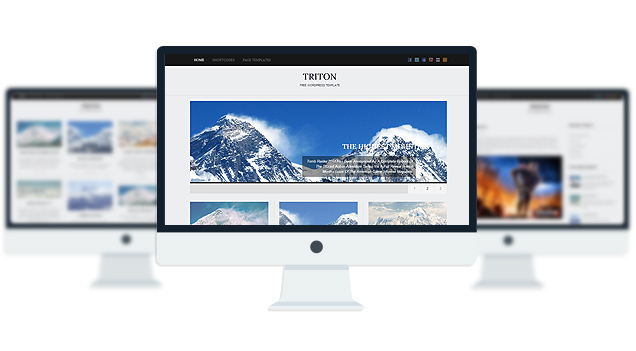
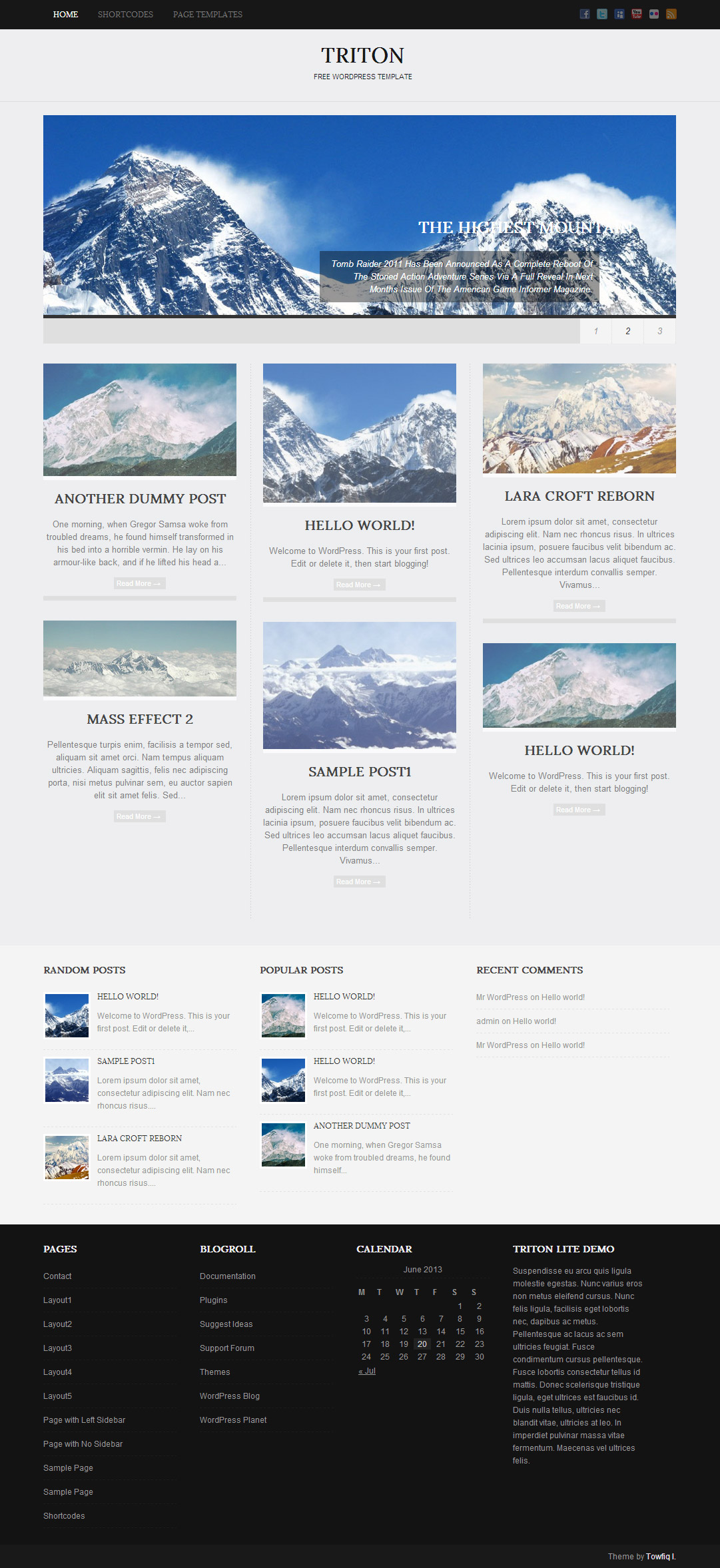
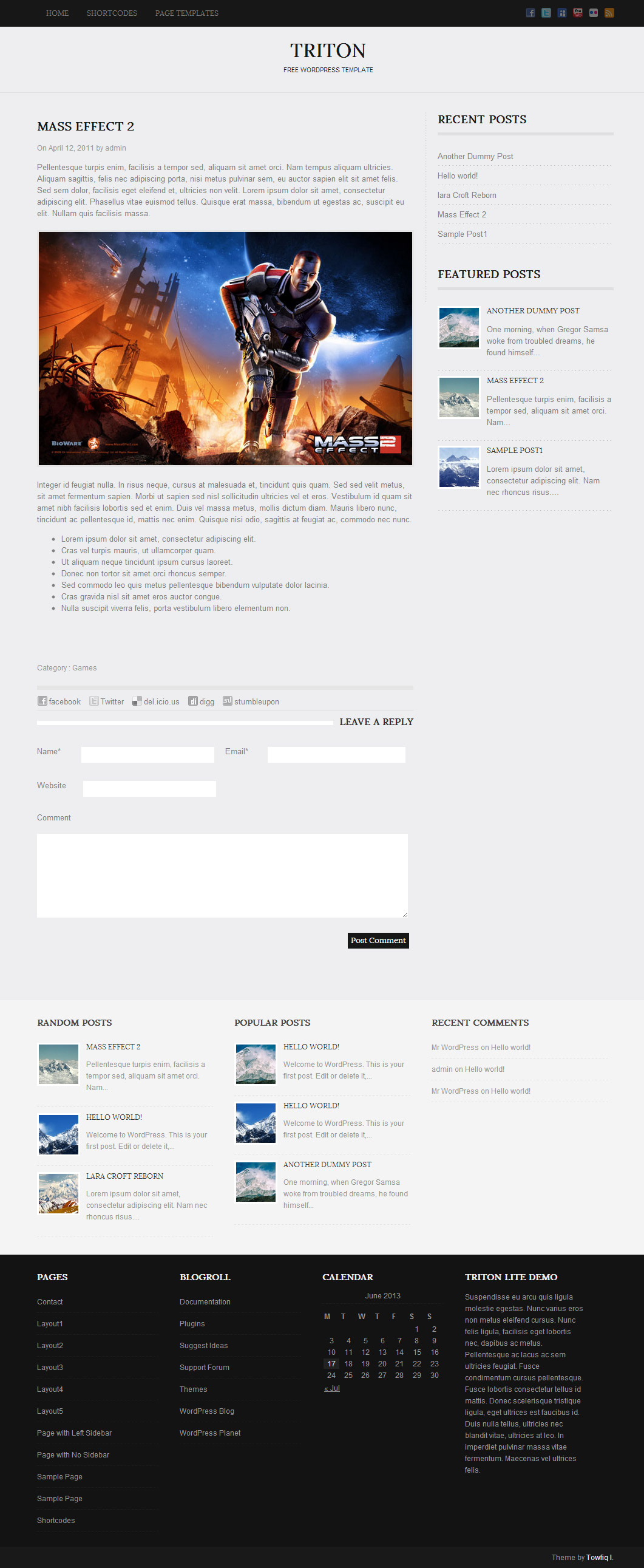
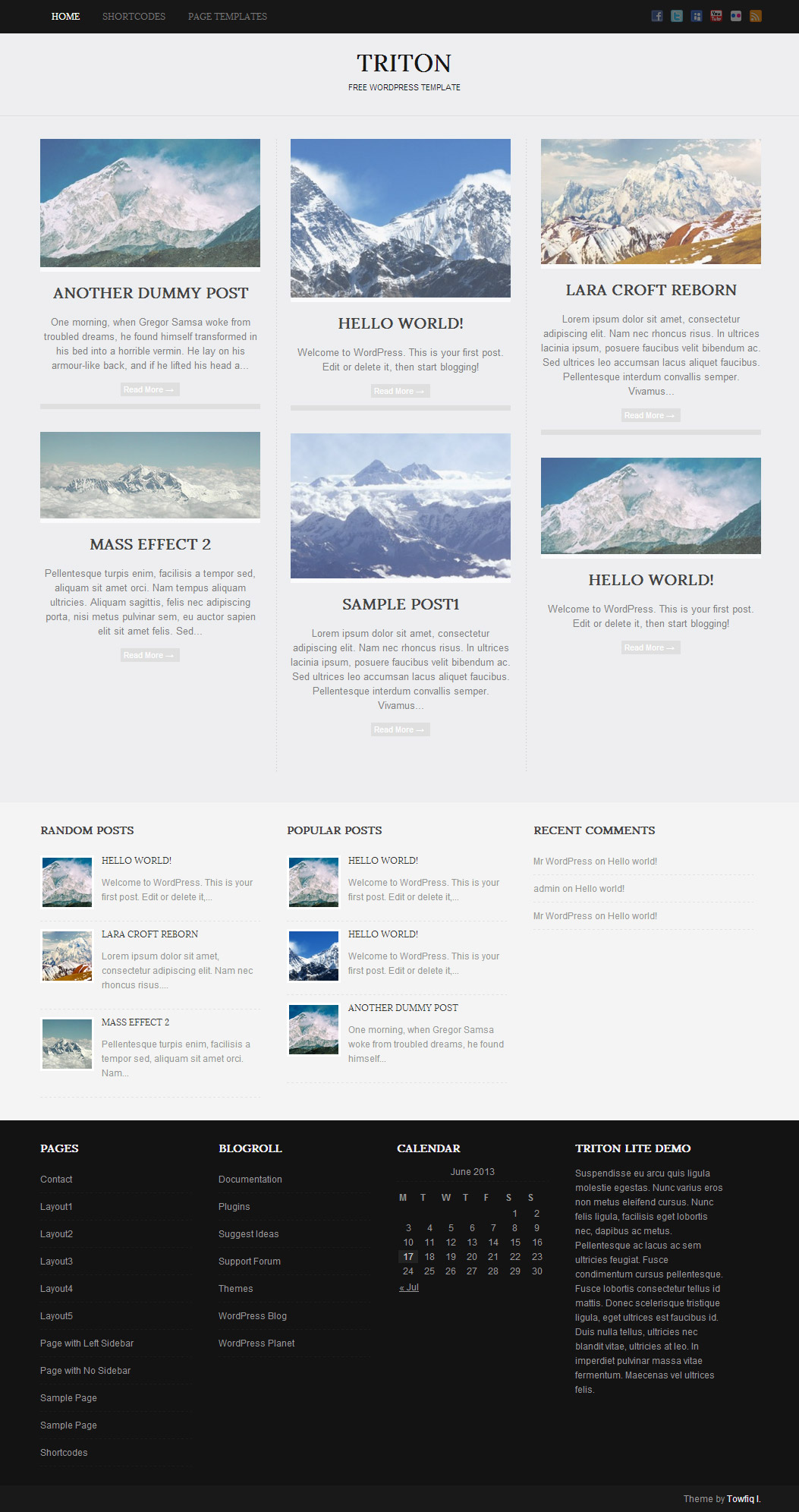
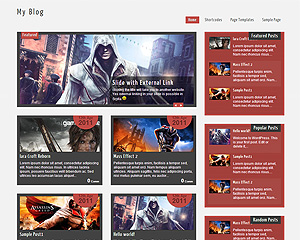
Triton is a all in one wordpress theme with awesome 3 fonts, 1 slider, 1 layout & easy to use theme option panel. The Theme also includes 3 built-in widgets and 5 useful shortcodes. The theme is SEO Friendly and has plenty of user-friendly options. The theme also comes with a Contact page Template which doesn’t require any setup.

Features

  • 3 Fonts
  • 1 slider
  • 1 Layout
  • 2 Patterns.
  • 3 custom widgets.
  • 5 easy to use shortcodes.(Hard-coded in Post Editor)
  • 1 WordPress 3.0 Menu Position.
  • Mult-Level Dropdown Menu.
  • Social buttons to submit posts to Facebook, Twitter,
    Stumble upon, Digg, Google Buzz!
  • 3 Awesome fonts.
  • Easy to use theme options.
  • Gravatar Support.
  • 3 custom page templates
  • Fancy lightbox
  • IE6 Browser Upgrade Alert!
  • Separation of Comments and Trackbacks
  • Threaded comments support.
  • Valid XHTML/CSS3.
  • Well-written documentation
  • One Click Install. No plugin required.

Compatibility:

  • Internet Explorer 7+
  • Firefox 3+
  • Safari 5
  • Opera 9+
  • Netscape 6+

1,194 Responses to “Triton Lite: Free WordPress Theme”

  • on September 2, 2011 at 5:49 am

    Wow… wonderful theme. This is nice theme with simple n great features :)

  • on September 2, 2011 at 6:39 pm

    Thanks for the awesome theme!

  • Tania
    on September 8, 2011 at 11:55 am

    Another beautiful theme – you’re very talented. Having a bit of trouble with the slider though – it doesn’t cycle through the slides for some reason.

  • on September 12, 2011 at 2:07 pm

    Hi Toufiq

    first of all i would like to congratulate U for bringing out such wonderful website theme (triton llite)
    I am actually using it on my project and would llike to know exactly what to do to have slider working.

    1. i am really stuck down have changed pages to post to have a proper view ..
    2. have cropped the images and put it down into the slider button as told ( it shows there are 2 images there as draft ) and there is nothing slider
    1 thing should i make a gallery named easyslider and put down every thing into it or directly upload the imgaes into the option provided into the admin panel below slider ..

    kindly guide thanking you in advance..
    M A Chishti

    • Towfiq I.
      on September 12, 2011 at 2:10 pm

      Go to Slider > Slider and a list of slides that you created will appear. Hover your mouse over each of the slide posts and click the quick edit button and then change the status to “Published” from draft.

    • Peter Szep
      on April 17, 2013 at 3:12 pm

      Only one image is showing at a time, I have published 2 images and still only one shows up. I am a power user and I cant get it to work.

  • on September 14, 2011 at 11:20 am

    Hi Toufiq

    Thanks for the awesome theme, but Slider is not cycling even though all slider images are published. Second thing in this theme’s style.css you have written that theme have 3 columns, left sidebar and right sidebar but only right sidebar is working in (triton llite) theme.

    • Towfiq I.
      on September 14, 2011 at 2:06 pm

      When there is a javascript conflict the slides doesn’t cycle to next one.

      Left sidebar can only be used in pages. While editing a page check there is a box called “Page Attributes” under that you will find page template options, Select “Left Sidebar” template to assign left sidebar to that page.

  • K
    on September 15, 2011 at 8:57 am

    Hello! How do you set an image as header? Thank you!

  • on September 15, 2011 at 10:11 am

    Hi Toufiq

    You are right. I got Left sidebar in page, but Still Show two columns not three.Correct! Then why you have written there (Style.css) three columns? Please answer me.

    Nisha

  • on September 15, 2011 at 2:57 pm

    Its fine Toufiq “You can add ‘three-columns’, ‘black’, ‘gray’”. But theme still have two columns, because when I activate left sidebar then right sidebar gets deactivate and finally theme remain with two columns. I think i said it correct :)
    .

  • Matthijs
    on September 18, 2011 at 5:29 am

    Superb theme… One question. Is it possible to change the favicon. I don’t like the bananas that much…

    • Towfiq I.
      on September 18, 2011 at 10:51 am

      There is no default favicon in this theme. To add favicon to this theme, Go to Appearance> Editor and click the header.php from right and find this line:

      1
      
      <link rel="stylesheet" href="<?php bloginfo('stylesheet_url'); ?>" type="text/css" media="screen" />

      And add this line after the above line:

      1
      
      <link rel="shortcut icon" href="your favicon image url" />
  • Rebecca
    on September 19, 2011 at 7:59 pm

    Nice theme!

    I was wondering what the best way is to put your own logo at the top?

    Thanks!

  • syn
    on September 19, 2011 at 8:24 pm

    This is a beautiful theme, I use it here @ syndenial.com and another of your themes here @ sumsdaily.com the problem is that the widgets on the right sidebar are not working, is there a fix for this?

  • on September 23, 2011 at 11:22 am

    Hello i have a question, can i take the text away in the home page? That you only can see the pictures? Thank you for sharing :)
    Gr. Lydia

    • Towfiq I.
      on September 23, 2011 at 7:08 pm

      Go to Appearance> Editor and select “layout1.php” from right and find these lines and remove them:

      1
      2
      3
      4
      5
      
      <div class="post_content">
                          <h2 class="postitle"><a href="<?php the_permalink();? rel="nofollow">" title="<?php the_title_attribute(); ?>"><?php the_title(); ?></a></h2>
                          <?php trt_excerpt('trt_excerptlength_teaser', 'trt_excerptmore'); ?> 
                          <a class="read_mor" href="<?php the_permalink();? rel="nofollow">" title="<?php the_title_attribute(); ?>"><?php _e('Read More &rarr;', 'triton'); ?></a>
                      </div>
  • jenotc
    on September 24, 2011 at 8:11 pm

    I was wondering …. can I remove from front page images attributes: alt=”" and title=”" ?

    It would be great, because right now it looks kinda not right when you roll over the mouse and you get home1

    TNX :)

  • on September 27, 2011 at 2:01 am

    Hi, I have the Lite version, and the slider isn’t working for me. All entries are “published” – but when I click to view post, no photos appear, and I cannot navigate to where the images are supposed to be from the main website – where is the slider supposed to be?

  • on September 27, 2011 at 3:11 am

    Ok, now that I solved that problem, I’m stuck on another. How do I disable comments, so that no one has the option to comment on any of my pages? I don’t want comments! Lastly, where/how do I access the other fonts for my main pages?

    • Towfiq I.
      on September 27, 2011 at 6:37 am

      Go to Settings> Discussion and uncheck this option:
      “Allow people to post comments on new articles ”

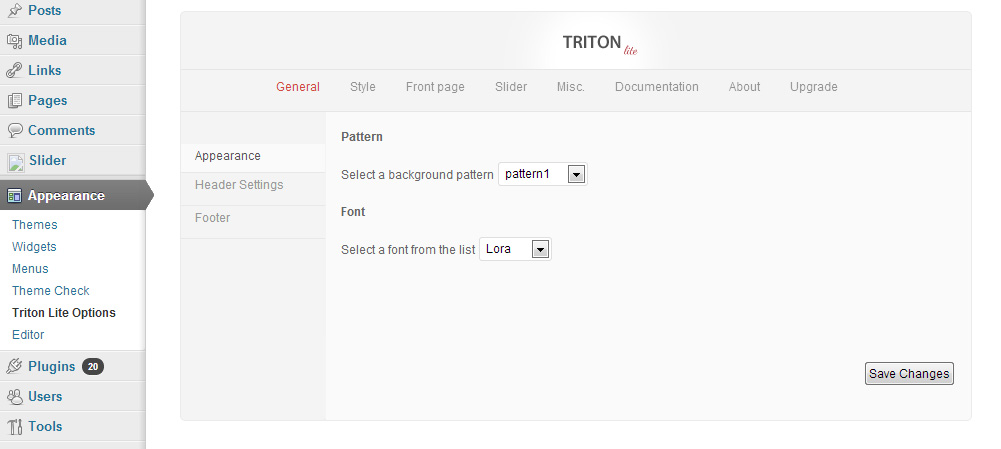
      Go to Appearance> Triton Lite Options and you can change the fonts there.

  • on September 28, 2011 at 4:38 am

    Hi

    Just starting to go through and review your Triton theme. So far, unable to the slider to appear. Is there a way to make it appear on a particular page?

    I have done the following so far:

    1. Prepared all images as 960×270 px
    2. Created a slide for each image

    What’s next?

    I have created default pages, contact page, no sidebar and left sidebar pages. This does not appear to have affect.

    Any assistance you provide, will be appreciated.

    Bill

    • Towfiq I.
      on September 28, 2011 at 11:34 am

      It is maybe because the slides are saved as “draft”. Go to Slider>Slides and hover your mouse over each post and click the “Quick Edit” button and set the status to “Published”.

    • Towfiq I.
      on September 28, 2011 at 11:35 am

      Just looked at your site. looks like you are using a custom page as homepage. Go to Settings>General and set the homepage option to latest posts.

    • on September 28, 2011 at 7:25 pm

      Hi, Thank you very much! I am getting there! New to WP.

      Just as an FYI to your readers. This was found on Settings>Reading and I switched it from “a static page” to “your lastest posts”.

      As an aside, any chance you will put a hook into this theme such that the slider will stop after some predefined amount of time?

      Thanks again.

  • on September 28, 2011 at 11:21 pm

    Thanks! Is there a way to make the comment box disappear from the bottom of my pages? It still shows up, even though I unchecked the box.

    Also, under the “social” tab of the triton lite options, there is no option to add my tumblr URL – I would love a “follow my tumblr” box to appear in the upper right corner, like there is for RSS, twitter, etc. Is there a way I can get one up there?

    • Towfiq I.
      on September 29, 2011 at 9:06 am

      Go to Appearance> Editor and select “single.php” file from right and find this line and remove it:

      1
      
      <div class="comments_template"><?php comments_template('',true); ?></div>

      And no, Currently no tumblr button is possible to add, maybe in later version.

  • on September 29, 2011 at 5:07 am

    Hi Towfiq I.
    I love the theme. Is it possible to have it so that on the home page under the slider, you could have pages rather than latest posts?

    If not, can you do it on the PRO version?
    Thanks!

  • on September 29, 2011 at 11:30 pm

    Ok, deleting the line was easy, but it won’t let me save it. It says,

    “You need to make this file writable before you can save your changes. See the Codex for more information.”

    I read through “the Codex” file, and have absolutely no idea what I need to do. Help?

    • Towfiq I.
      on September 30, 2011 at 5:22 am

      You have to change the permission of “single.php” file with a ftp program. use and FTP application to do this. If you are unsure, Google it and ask for your host’s help.

  • Alicia
    on October 3, 2011 at 2:38 am

    Hi this is a great theme just have 2 quick questions.

    I wanted to know if there is anyway to remove the dashed line that separates the main section for the side bar on the right? I used the No Sidebar template for my pages but the dashed line still shows.

    Also when viewing a page, the page title shows in the top left corner. Is there a way to hide the title?

    • Towfiq I.
      on October 3, 2011 at 1:23 pm

      Go to Appearance> Editor and select “stylesheet” from right and add these lines:

      #posts{background:none!important;}
      .page .postitle{display:none;}

  • ok_pit
    on October 3, 2011 at 4:00 am

    Hi Towfiq I. !! Nice to meet you!! I am using Triton Lite (free version) and I would like the home page have only 6 posts. That is possible? Thakyou.

  • Megan
    on October 3, 2011 at 8:13 pm

    Ok, so I downloaded Filezilla to change the file from there, but problem is I can’t FIND “single.php” amid the various folders, etc, for example:

    img 7/26/2011 1:05:00 PM rwxr-xr-x [Rename directory]
    images 9/3/2011 6:16:00 PM rwxr-xr-x [Rename directory]
    data 9/3/2011 6:16:00 PM rwxr-xr-x [Rename directory]
    css 9/3/2011 6:16:00 PM rwxr-xr-x [Rename directory]
    attachments 9/3/2011 6:16:00 PM rwxr-xr-x [Rename directory]
    publication_list.xml 2 K 9/23/2011 9:52:00 PM rw-r–r– [Rename file]
    page7.html 8 K 9/23/2011 9:52:00 PM rw-r–r– [Rename file]
    page6.html 7 K 9/23/2011 9:52:00 PM rw-r–r– [Rename file]
    page4.html 8 K 9/23/2011 9:52:00 PM rw-r–r– [Rename file]
    page3.html 16 K 9/23/2011 9:52:00 PM rw-r–r– [Rename file]
    page2.html 8 K 9/23/2011 9:52:00 PM rw-r–r– [Rename file]
    page1.html 9 K 9/23/2011 9:52:00 PM rw-r–r– [Rename file]
    menu.xml 1 K 9/23/2011 9:52:00 PM rw-r–r– [Rename file]
    init.php 5 K 9/23/2011 9:52:00 PM rw-r–r– [Rename file]
    index.wml 1 K 7/26/2011 1:05:00 PM rw-r–r– [Rename file]
    index.html 9 K 9/23/2011 9:52:00 PM rw-r–r– [Rename file]
    at.html

    I’ve searched and searched but can’t find it amid various folders and subfolders.

    Also, how do I make my email address live? So when you click on it, it brings up an blank compose email page with my email address already in it.

    • Towfiq I.
      on October 3, 2011 at 8:18 pm

      this is weird. are you sure you are browsing the right directory. You should go to wp-content/themes/tritonlite/

    • Megan
      on October 3, 2011 at 8:22 pm

      Someone also mentioned that the size and color of the font/writing for the header page headings (Contact, About, etc) is very small and hard to read. How do I make that font bigger and change the color?

  • Megan
    on October 3, 2011 at 8:35 pm

    When I log into Filezilla using the log in info supplied by my hosting service, the main directory options are “log” “tmp” and “webspace” – when I go to “webspace”, my options are “certs” cgi-bin” “conf” “error docs” “httpdocs” “httpsdocts” “pd” “sideapps” “webapps” “webstat” and “webstatssl” – I really can’t find the Triton theme stuff.

  • on October 4, 2011 at 3:59 pm

    How can I customize the Contact Page?

  • Megan
    on October 5, 2011 at 6:54 pm

    Ok, I was finally able to delete that line of code, to get ride of the comment box. I deleted and updated so it’s gone, but the comment box STILL APPEARS on my pages. Is there something else I need to do to fix this?

  • Megan
    on October 5, 2011 at 7:39 pm

    THANKS!! All worked.

    One more question: Someone also mentioned that the size and color of the font/writing for the header page headings (Contact, About, etc) is very small and hard to read. How do I make that font bigger and change the color?

    • Towfiq I.
      on October 5, 2011 at 7:42 pm

      Go to Appearance> Editor and select “stylesheet” from right and add these lines:

      #topmenu ul li a{font-size:14px!important;}

  • Megan
    on October 5, 2011 at 7:51 pm

    Ok, great…now, where exactly do I find where I can change the font? I added the line, but I can’t seem to find an option somewhere to increase the font size.

  • Megan
    on October 6, 2011 at 2:32 pm

    OK, I did that, but WHERE am I supposed to look to find where I can change the font size? Under Triton Lite Options, and then “header”? Because if so, it’s still not there.

  • Megan
    on October 6, 2011 at 2:40 pm

    Ok, but after I add that line of code, WHAT DO I DO to enact the changing of the font size. Adding that line itself doesn’t magically change it, right? So after I add the code, what is the next step. That’s my question.

    • Towfiq I.
      on October 6, 2011 at 2:41 pm

      Yes that all you need to do. just add the line and it will change the font size, you don’t have to do anything else.

  • Robyn
    on October 9, 2011 at 10:41 pm

    Great theme (and definitely appreciate your presence on this post)! Any way to remove the right sidebar entirely? I’m making a couple pages and even without any widgets in the “right sidebar” area and the “no sidebar” template selected, the page content will only extend about half way (leaving room for sidebar content)… Thanks!

  • on October 11, 2011 at 1:07 pm

    Hi Towfiq! How can I convert slide in a post? I need add content to it. thanks.

    • Towfiq I.
      on October 11, 2011 at 1:09 pm

      There is no way to do that, however you can create a post like the slide and then copy the link the post and paste it to the slide’s url field. So, when the slide is clicked it will go to that post.

  • syn
    on October 11, 2011 at 5:40 pm

    hi there I paid for the premium version of this and never received the DL link, could you please send it or send it again? Thank you.

    • Towfiq I.
      on October 11, 2011 at 5:48 pm

      I tried to send you the file but got error message. I sent you an email regarding this 8 days ago. but did not get any reply. the yahoo email you are using is rejecting the emails I am sending. Can you send me any other email id that you have:
      http://www.towfiqi.com/contact

  • on October 16, 2011 at 5:01 am

    Hi, I am sitting here 5.30am looking for the line of code to get rid of the transparency on the social feed icons on the home page and the post images. I can see the code in firebug but not in the wrdpress editor! can you help?

    I want to see them at the correct transparency all the time.

    • Towfiq I.
      on October 16, 2011 at 5:58 am

      you have to edit the triton.js file from js folder.

      remove these lines:

      jQuery(‘.lay1 .post .imgwrap’).css({‘opacity’:’0.7′});
      jQuery(‘.lay1 .post ‘).hover(function(){
      jQuery(this).find(‘.imgwrap’).stop().animate({‘opacity’:’1′}, 300);
      }, function(){
      jQuery(this).find(‘.imgwrap’).stop().animate({‘opacity’:’0.7′}, 300);
      });

      and these lines:

      //Social Buttons Animation
      jQuery(‘.social_wrap ul li’).css({‘opacity’:’0.4′});
      jQuery(‘.social_wrap ul li ‘).hover(function(){
      jQuery(this).stop().animate({‘opacity’:’1′}, 300);
      }, function(){
      jQuery(this).stop().animate({‘opacity’:’0.4′}, 300);
      });

    • on October 16, 2011 at 6:21 pm

      Thankyou, so I just delete the part as follows

      jQuery(‘.lay1 .post .imgwrap’).css({‘opacity’:’0.7′});

      and
      jQuery(‘.social_wrap ul li’).css({‘opacity’:’0.4′});

    • on October 16, 2011 at 6:41 pm

      just tried to download the triton js file using firezilla and it wont let me download, so i tried to view/edit and it also would not let me saying plese check your filetype associations

    • Towfiq I.
      on October 17, 2011 at 12:45 am

      How can you not download the file via ftp? what error is it showing?

    • on October 18, 2011 at 6:24 pm

      When I right click on the triton js file, the download option is not clickable, if i try to click the view/edit option I get a error message. i have taken a screencapture of the message and posted it on your Facebook page. thanks

  • on October 18, 2011 at 1:29 pm

    Towfiq I – Great template.

    Just one question – Might sound a bit simple, but i’m really struggling to do it.

    I’m trying to create a drop down menu called “tutorials” on the top navigation bar? Is this possible?

    Yet again – Many thanks!

  • on October 18, 2011 at 5:55 pm

    Hello Towfiq! Amazing theme… and you are truly knowledgeable about it… But i have a question, how do i get more than just one slider image to slide across the top of the screen? I have two published but they still won’t slide, what does a javascript error mean or where do i got to fix that? Thanks…

  • joe
    on October 18, 2011 at 7:33 pm

    hi, after u buy the Triton Pro(Commercial) version, will i have technical support on it?
    like Support Wiki and Support Tickets of the theme.
    thanks.

    • Towfiq I.
      on October 18, 2011 at 7:47 pm

      There won’t be a wiki but there is a forum with large number of issues solved and the response to the forum is guaranteed within 12-24 hrs. Email support will be given too.

  • on October 20, 2011 at 10:54 pm

    Hello again! is there anyway for me to take away the 2nd column on the secondary pages and the posts when they’re up? The homepage looks nice but the right side of the other pages has an extra column that i don’t need…..?

  • Pierre
    on October 21, 2011 at 3:36 pm

    Thanks for the great theme!

    When I select “page with no sidebar” the text is correctly spreading over all the page but ” images/single_bg.png ” is still showing behind the text where should have been the sidebar.
    #posts should be affected by .no_sidebar

  • Nuno
    on October 22, 2011 at 4:45 pm

    Hello Towfiq love the template. Just a couple of questions. I have figured out how to increase the size of the post text and photos. I’m using photos with 750 px width. Just dont know how to move the dashed line that separates the main post from the sidebar on the right. Making the changes the line apears over the text.
    The sidebar is another problem. Nothing shows on the right side or at the botom like the demo on you site.
    Just one more thing. Is it possible to add a logo to the top of the page were it says:
    Tryton
    Free wordpress template

    I wanted to know if there is anyway to remove the dashed line that separates the main section for the side bar on the right? I used the No Sidebar template for my pages but the dashed line still shows.

    Also when viewing a page, the page title shows in the top left corner. Is there a way to hide the title?

  • Nuno
    on October 22, 2011 at 4:55 pm

    Hi Towfiq. Love the template. Just a couple of questions.
    I have figured out how to change the size of the text and photos in the posts in thde style.css file. But i dont know how to move the dashed line that separates the post from the sidebar on the right. I’m using photos with 750 px width. Same value for the text. If i make the changes the line appears over the text.
    Another thing is the sidebar. Nothing shows on the right side or at the bottom of the post pages, like in the demo at your website.
    Just one more thing. Is it possible to add a logo to the top of the page, where it says:
    Tryton
    Free wordpress template

    I wanted to know if there is anyway to remove the dashed line that separates the main section for the side bar on the right? I used the No Sidebar template for my pages but the dashed line still shows.

    Also when viewing a

  • Nuno
    on October 23, 2011 at 9:59 pm

    Sorry for the double post.
    I have figured out how to insert the widgets in the right sidebar or at the bottom.
    Just dont know how to move the dashed line in the post page that separates the sidebar. Can you herp?
    Regarding the slideshow. Is there a way to make the transitions between the photos a cross fade os fade in fade out instead of moving to the left?

    Thanks again Towfiq. Love the theme.

    i dont know how to move the dashed line that separates the post from the sidebar on the right. I’m using photos with 750 px width. Same value for the text. If i make the changes the line appears over the text.

    • Towfiq I.
      on October 24, 2011 at 3:55 am

      To remove the border add this line to your stylesheet:

      #posts{background:none!important;}

      not possible to fade the slides.

  • Nuno
    on October 24, 2011 at 11:28 am

    Thanks Towfiq for the answer, but i dont want to remove the border. I would like to move it, since i changed the values for the text and photos. I’m using 750px and the line shows up over the text.

    Thanks again

  • miguel
    on October 24, 2011 at 6:27 pm

    I’m trying to use the loop that is located in layout.php in another page (inside single.php), and I managed to make it work fine, but the pagination is not working, when I click on 2 it shows me the same page again. any idea how to fix it?

    • Towfiq I.
      on October 24, 2011 at 6:29 pm

      depends on how you modified the loop. post the loop code here.

    • miguel
      on October 24, 2011 at 9:11 pm

      I didn’t touch the loop but I’m calling it in the single.php like this…

      61, ‘paged’ => get_query_var(‘paged’) ) );

      while ( have_posts() ) : the_post();

      endwhile;

      ?>

    • miguel
      on October 24, 2011 at 9:16 pm

      <?php rewind_posts(); ?>

      <?php

      // The Query
      query_posts( array( ‘cat’ => 61, ‘paged’ => get_query_var(‘paged’) ) );
      // The Loop

      while ( have_posts() ) : the_post();

      endwhile;

      // Reset Query

      ?>

      <?php if( empty($option['trt_lay'])) { ?>
      <?php get_template_part(‘layout1′);?>
      <?php }?>
      <?php if($option['trt_lay']== “Layout 1″) { ?>
      <?php get_template_part(‘layout1′);?>
      <?php }?>

    • Towfiq I.
      on October 25, 2011 at 1:06 am

      try this:

      1
      2
      3
      
      <?php $page = (get_query_var('paged')) ? get_query_var('paged') : 1;
      query_posts("cat=61&showposts=6&paged=$page");
      while ( have_posts() ) : the_post() ?>
    • miguel
      on October 25, 2011 at 12:41 pm

      That code works (it shows the correct posts) but I had to add a endwhile; so it works, and the pagination is still broken, keeps showing the same page with the same articles.

  • Nuno
    on October 24, 2011 at 7:16 pm

    Hello Towfiq.
    Send you the site address through the contact form on this site

  • indigorchid
    on October 25, 2011 at 11:56 am

    I have just started using your theme, and I just wanted to say *thank you*! It is a lovely theme, and I have to applaud you for being so available to us who are using it with suggestions and solutions. Well done, congratulations, and again.. thank you!

  • indigorchid
    on October 25, 2011 at 2:15 pm

    Update: I had the same problem of using “no sidebar page” with the dotted line still showing up, and I don’t know if this is legit coding. I added this:

    .no_sidebar #posts{background:none!important;}

    to the stylesheet.php, below the “no sidebar template” header, like Towfiq said to do. But I think what really helped was to refreshing the page by hitting shift+ctr+r, and the line was gone!

Trackbacks & Pings

Leave a Reply

Your email address will not be published. Required fields are marked *

You may use these HTML tags and attributes: <a href="" title=""> <abbr title=""> <acronym title=""> <b> <blockquote cite=""> <cite> <code> <del datetime=""> <em> <i> <q cite=""> <strike> <strong>