



About

Hello! I am Towfiqul Islam, a freelancer web designer/developer from Bangladesh, working for 3 years now. Designing is my passion. Most of my design skills are self taught.

Other than web, print design, I design websites from scratch with XHTML, CSS, jQuery. I find website designing very challenging and interesting. I also build wordpress, Joomla and other popular CMS Templates.

Scylla PRO: WordPress Theme

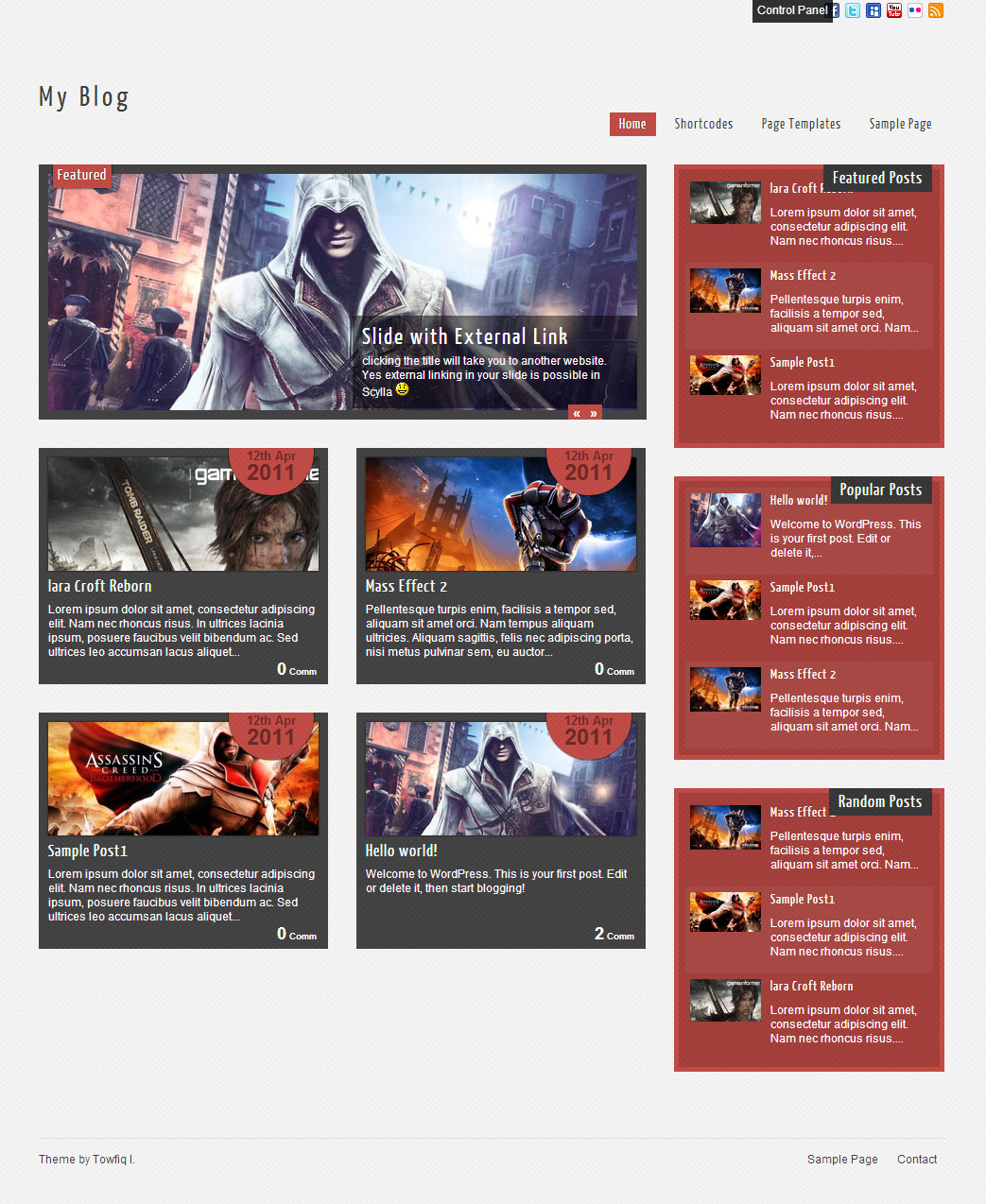
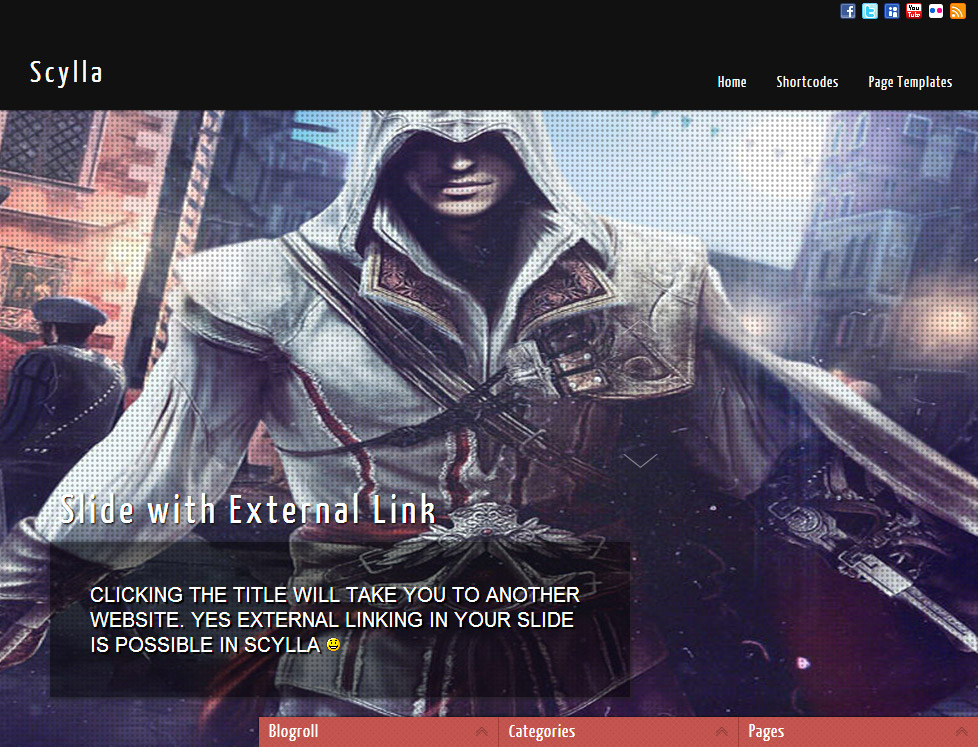
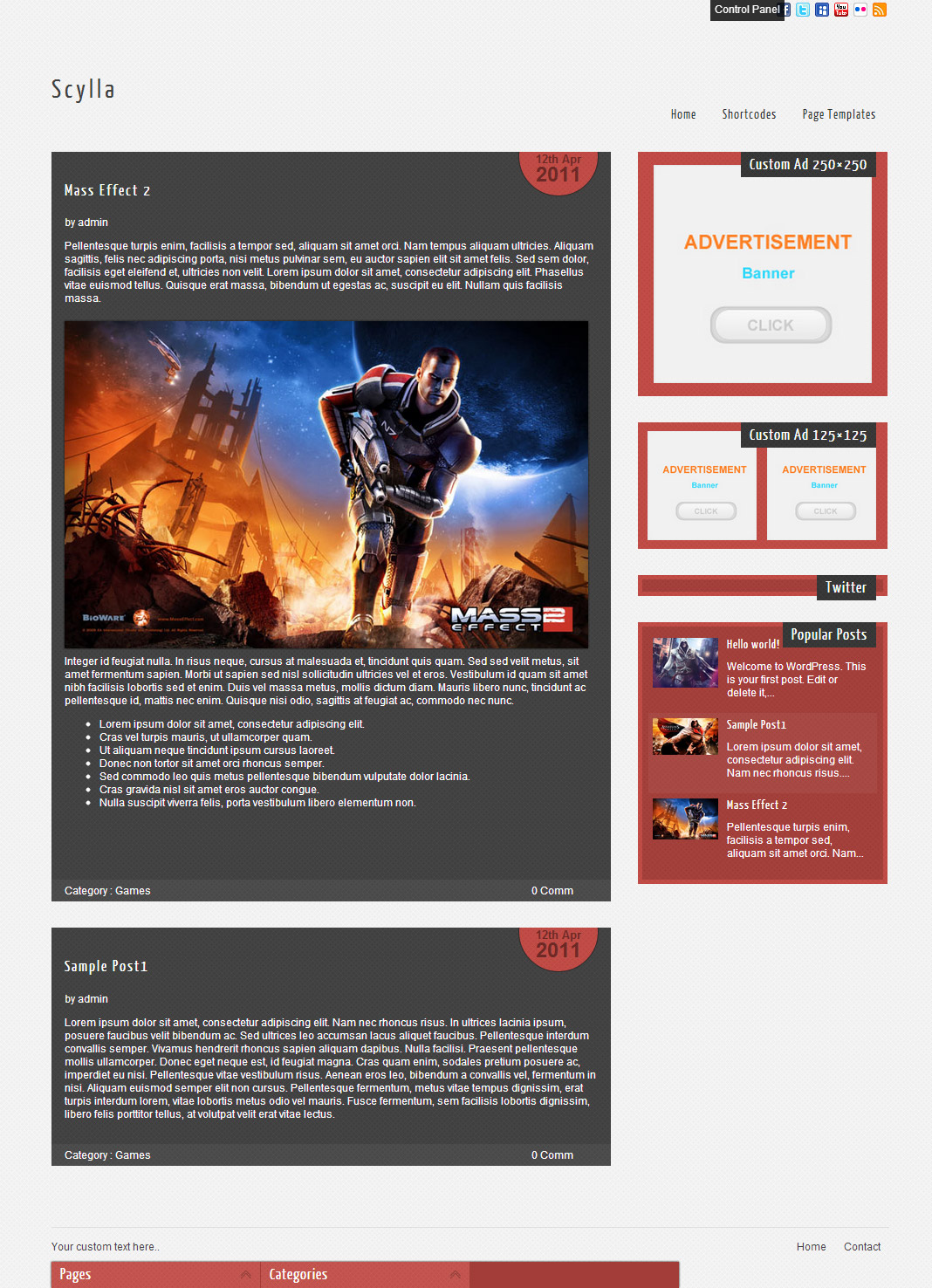
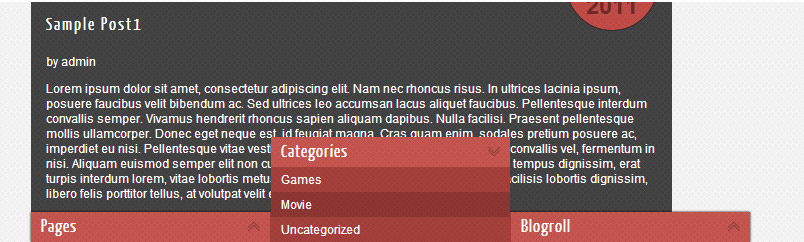
Scylla Pro is a wordpress 3 theme with unlimited skins, 12 fonts, 2 slider, 5 layouts & easy to use theme option panel.

Features

  • Unlimited Skins- Ability to change the color of any elements
  • 2 sliders
  • 5 Layouts
  • 10 Patterns.
  • 8 custom widgets:
    1-Flickr Photos
    2-Popular Posts
    3-Featured Posts
    4-Random Posts
    5-Twitter Feeds
    6-160×600 Skyscrapper Ad
    7-250 x 250 AD
    8-125 x125 ADs
  • 20 easy to use shortcodes.(Hard-coded in Post Editor)
  • 2 WordPress 3.0 Menus.
  • Mult-Level Dropdown Menu.
  • Social buttons to submit posts to Facebook, Twitter,
    Stumble upon, Digg, Google Buzz!
  • 12 Awesome fonts.
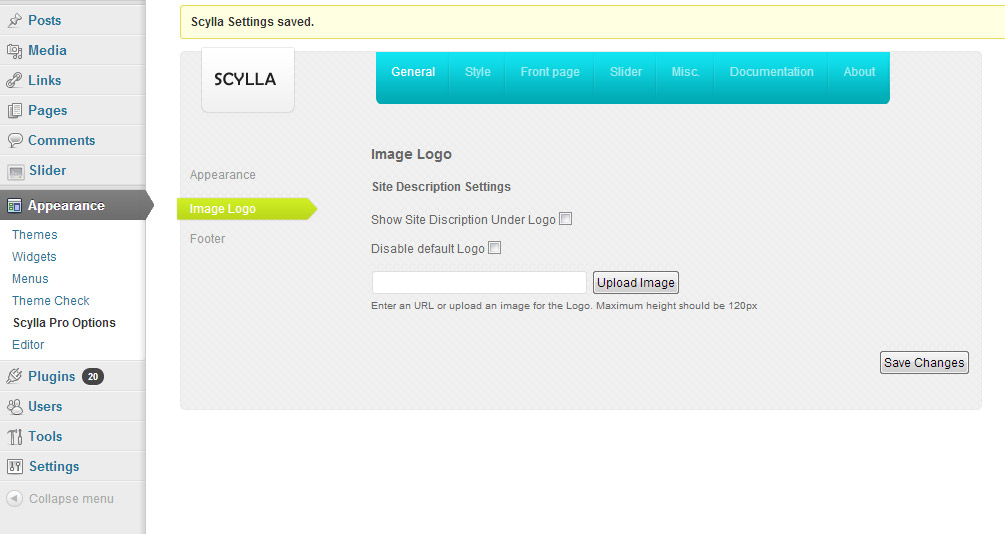
  • Easy to use theme options.
  • Option for image logo
  • Related Posts
  • Gravatar Support.
  • 3 custom page template
  • Fancy lightbox
  • Easy Google Analytics Integration
  • IE6 Browser Upgrade Alert!
  • Separation of Comments and Trackbacks
  • Threaded comments support.
  • Valid XHTML/CSS3.
  • Well-written documentation
  • One Click Install. No plugin required.

Compatibility:

  • Internet Explorer 7+
  • Firefox 3+
  • Safari 5
  • Opera 9+
  • Netscape 6+

398 Responses to “Scylla PRO: WordPress Theme”

  • on February 26, 2013 at 11:16 pm

    Does the pro version of this theme have an adapted template for mobile phones or tablets?

  • Kent
    on March 18, 2013 at 5:46 pm

    Hi,
    I’m about to buy your Scylla PRO i need to know if it’s Fully Responsive Layout – works on tablets and mobile devices?

    Because majority of my visitors are on tablets and mobile devices. Thanks.

  • Vik
    on March 22, 2013 at 1:19 am

    Hi,
    Truly interested in buying your theme, needed to know one thing before I purchase however. On the home page, how many posts can I show?

    Can I have it so I can, say, display about 20 posts, then at the bottom there is a page number like this:

    [1][2][3][4][5][6]..Last>>

    clicking on page 2 would be exactly the same as the home page but just the other older content?

    Sorry if this is a silly question I’m fairly new to blogging but its important I know.

    Thanks, Vik

    PS: Beautiful designs by the way!

  • on March 30, 2013 at 2:14 pm

    Is there a way to make the photos link to an external site? I’ve played around with the photo settings, as well as the code, and can’t seem to find a way to make a photo be a link and not a lightbox.

    Thanks!

    • Towfiq I.
      on March 30, 2013 at 5:22 pm

      add link to the image as usual and open up fancybox.js from the “js” folder of the theme and replace this:

      //Implement Fancybox
      jQuery(function() {

      jQuery(‘.single_page_post a, .type-attachment a’).has(‘img’).addClass(‘hasimg’);
      jQuery(‘.single_page_post .gallery a, .imgwrap a’).removeClass(‘hasimg’);
      jQuery(“a.hasimg”).fancybox({
      ‘transitionIn’ : ‘elastic’,
      ‘transitionOut’ : ‘elastic’,
      ‘speedIn’ : 400,
      ‘speedOut’ : 200,
      ‘overlayShow’ : true
      });
      });

      with this:

      //Implement Fancybox
      jQuery(function() {

      jQuery(‘.single_post a, .type-attachment a’).has(‘img’).addClass(‘hasimg’);
      jQuery(‘.imgwrap a’).removeClass(‘hasimg’);
      jQuery(“.post_content .gallery .hasimg[href$='.png'], .post_content .gallery .hasimg[href$='.jpg'], .post_content .gallery .hasimg[href$='.gif']“).addClass(‘grouped_elements’);
      jQuery(‘.post_content .gallery .hasimg’).attr(“rel”,”group1″);
      jQuery(“.hasimg[href$='.jpg'], .hasimg[href$='.png'], .hasimg[href$='.gif'], a.grouped_elements”).fancybox({
      ‘transitionIn’ : ‘elastic’,
      ‘transitionOut’ : ‘elastic’,
      ‘speedIn’ : 400,
      ‘speedOut’ : 200,
      ‘overlayShow’ : true
      });
      });

  • on April 2, 2013 at 2:26 pm

    I would like to know if there’s support (or a plug in) to upload a custom background image? Love the theme by the way!

    Thanks!

    • Towfiq I.
      on April 2, 2013 at 8:04 pm

      open up functions.php and add this:

      add_theme_support(‘custom-background’);

      before this:

      //Post Thumbnail

      Then Go to Appearance> Backgrounds to change your background.

  • on April 14, 2013 at 10:06 am

    Hey I’m work for a client and i’m trying to add a widget under the Articels.
    I do have php experience.. a little help would be appreciated..

    also the Default setting for styling don’t work in WP 3.5.1
    is it the chmod ??

  • on April 14, 2013 at 7:50 pm

    hi again.. the order of features cant be changed..

  • on April 25, 2013 at 2:48 am

    Hi! I’m thinking about buying the pro version. But first, two questions: I have the number of slides set to 5, but once it gets to the fifth slide instead of going back to 1 it goes to a blank slide. It will eventually cycle back through to the first one. Was wondering how to fix that.

    Also, is there a way to enlarge the font size? The font looks so small in Chrome, but Firefox and IE looks fine. Thank you!

    • Towfiq I.
      on April 25, 2013 at 6:51 am

      disable the sharedaddy feature from your jetpack plugin.

      and the font size of your site is consistent through out all the browsers. ie, chrome, firefox. just checked.

  • on May 1, 2013 at 3:28 pm

    I am noticiing that the drop down navigation for subpages doesn’t really work. I can see the subpages, but I can’t click on it. Is there any way I can fix?

    • Towfiq I.
      on May 2, 2013 at 8:29 pm

      the “Notices” plugin that you installed is causing this. disable the plugin and it will disappear.

  • on May 2, 2013 at 10:27 am

    Hello!
    I want to change the language of the word “Featured” and I don’t find the site
    Thank you to tell me how.
    thank you

  • on May 2, 2013 at 10:49 am

    Hello
    I always had a problem with the slider., When I add one second slider, the first disappears from view. Why? It should not be possible to have featured four sliders?
    Thank you!

Leave a Reply

Your email address will not be published. Required fields are marked *

You may use these HTML tags and attributes: <a href="" title=""> <abbr title=""> <acronym title=""> <b> <blockquote cite=""> <cite> <code> <del datetime=""> <em> <i> <q cite=""> <strike> <strong>