Hello! I am Towfiqul Islam, a freelancer web designer/developer from Bangladesh, working for 3 years now. Designing is my passion. Most of my design skills are self taught.
Other than web, print design, I design websites from scratch with XHTML, CSS, jQuery. I find website designing very challenging and interesting. I also build wordpress, Joomla and other popular CMS Templates.
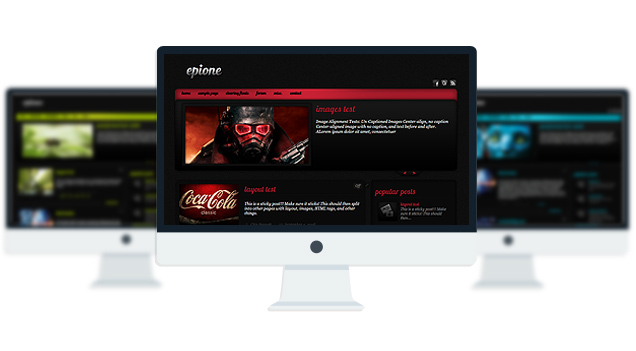
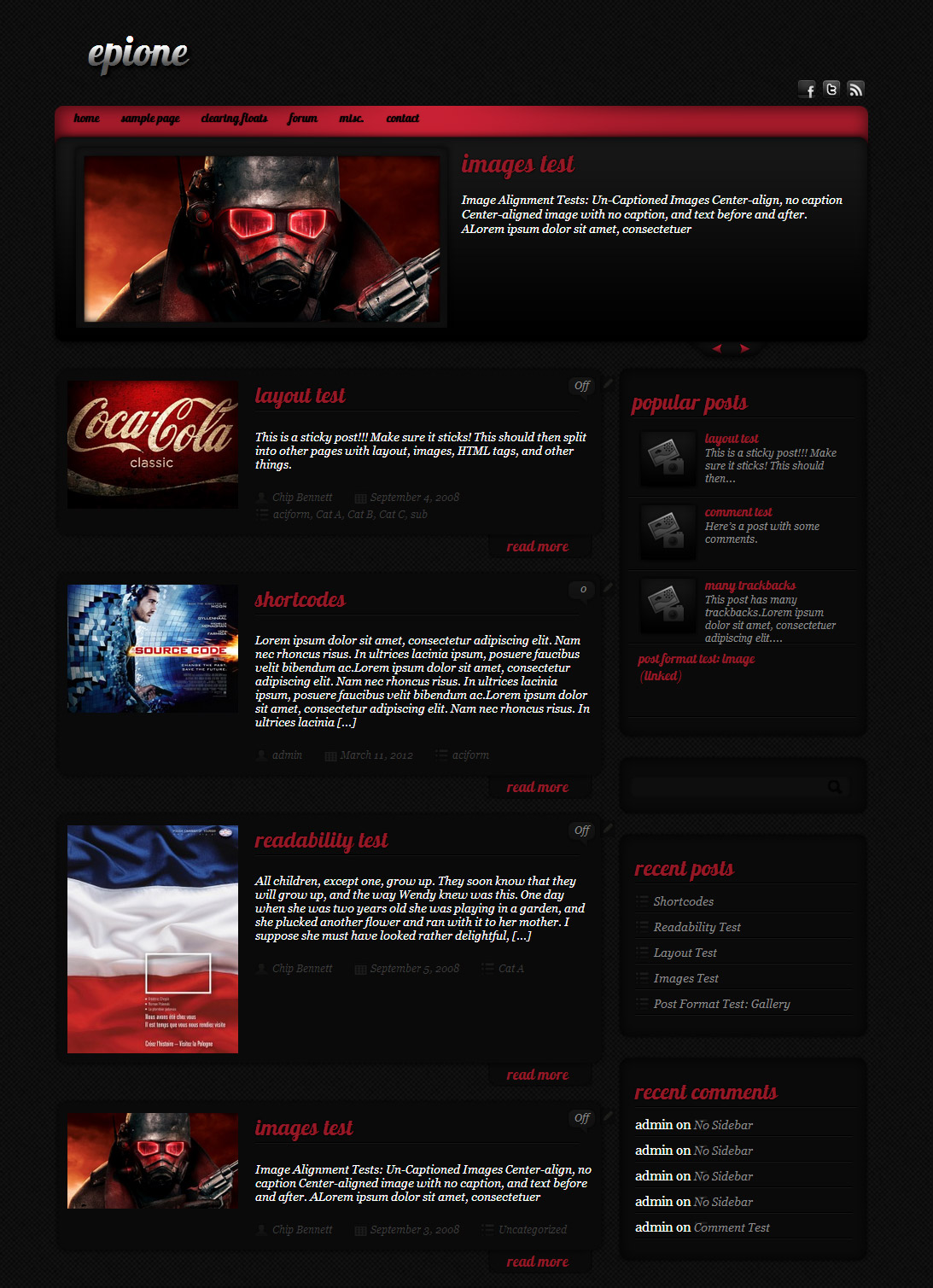
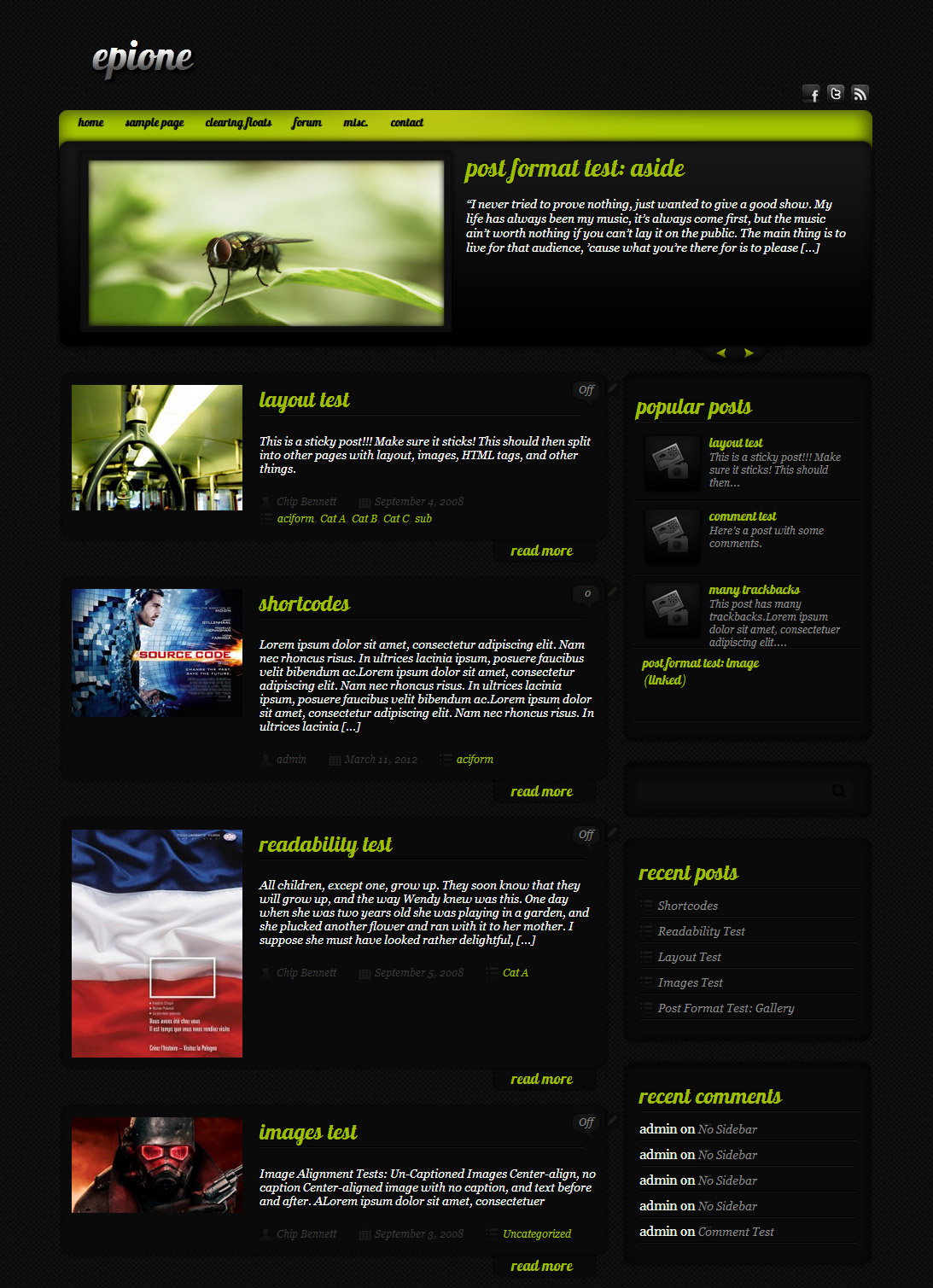
Epione is a wordpress theme with 5 gorgeous skins.The name “Epione” derived from greek goddess of the soothing of pain.
You have to open up “other.js” file from your epione/js theme folder and find:
pause: 2000,
To change the speed you have to change this value to your desired need. The default is 2000 milliseconds. If you want to slow the slider down you have to increase this value and save the file.
[...] Epione WordPress Theme ( Demo – Download ) [...]
[...] Epione Tema WordPress ( Demo – Download ) [...]
[...] shows Popular Articles with Images and has a Featured Article Slideshow prominently placed on top. Epione WordPress Theme ( Demo – Download [...]
[...] you guys might have noticed but we have a new look for the site. Up to new we have been using the Epione theme. It is a great theme but we have had it for a while and felt it was time for a change up. [...]
[...] fawkes day stevie williams steve williams koch brothers weather phoenix dippin [...]
[...] 22. Epione [...]
[...] 22. Epione [...]
[...] 22. Epione [...]
[...] Demo Descargar [...]
[...] Epione WordPress Theme( Demo – Download) [...]
Sorry…in response to your earlier response, my version of Epione is just about 3 days old. You have a newer version? And where is the “featured image option for posts”? Thanks again…
Download and install this version. it offers “featured image” option:
http://www.towfiqi.com/template/wordpress/download/Epione.zip
Hello,
I was just wondering if you could tell me how to add a custom image to each post (and the posts which appear on the slider). I am not sure how to find information about this, and can’t seem to find the option..
Also looking to change the layout of my front page. I want to keep the slider but remove the image section next to the image content to make it just like the other pages on my site. Is there any way to do this?
any help would be much appreciated! Loving the theme! Thanks
Download the latest version and you can use the “Featured images” option:
http://www.towfiqi.com/template/wordpress/download/Epione.zip
I didn’t understand your 2nd question.
Is there a way to add a contact page? So people can leave their name, email and comments.
You can try this plugin:
http://wordpress.org/extend/plugins/contact-form-7/
Any chance of a premium version available for the Epione theme? Also within the wp log in page the fields are black. How can I change that. Thanks.
No there isn’t.
You should delete the “custom-login” folder.
I almost forgot. How do I add a home page on navigation menu?
use this method to add menu:
http://www.expand2web.com/blog/wordpress-30-custom-navigation-menus-video/
I LOVE this theme- it’s easy to use, customize, looks great and doesn’t have that typical WP blog ‘look’. However I have noticed that some of my post images don’t appear on my front page or in the slider. Most do – but sometimes a post just doesn’t pull thumbnail of the image for my homepage and I was wondering if I’m doing something wrong. I am embedding the image like I have on other posts, but it’s possible I’m also missing a really obvious point in the execution. Anyway- thanks so much for this theme!!!
Thats odd. I am not sure why its happening, but you can try out version 1.4 which lets you choose your thumbnail photos for each posts with “Featured image” Download:
http://www.towfiqi.com/template/wordpress/download/Epione.zip
P.S: You will have to make those edits again.
Thank you!
I would like to remove the slider from the home page and replace it with a youtube or vimeo video of mine. I saw the code earlier for removing the slider, but how to add a youtube video? I will be researching…
Add this where you removed the slider code:
if i haven’t said it before, you are amazing!! i have to get off my ass and donate to you. AMAZING!!!
what’s the hex number used for the red on this theme?
#941826
How i dont like how small the front page is, how do i enlargen it. I also want to know how to get my twitter feed/widget as well as facebook feed/widget to show up on the sidebar. I tried doing this before and it did not show up at all. Also..what is the hex # for the content post background (the dark grey) as well as the aqua hex color#?
Thanks in advance..
enlarging the site width is not possible. and for social icon, use this widget:
http://wordpress.org/extend/plugins/social-media-widget/
Even since the WordPress 3.4 Update the slider does not show correctly in Chrome and I.E. but shows fine in Firefox…any suggestions?
Thanks
its a plugin conflict. Uninstall the last installed plugins one by one and find out which one is causing this.
Is it possible to make the background of the post areas, page area, excerpt box background and widget box backgrounds white?
You are so wonderful, and I really really appreciate your assistance and time.
sorry. thats not possible.
but for uppercase letters?
?????
apologize for my English.
I meant this: a = A
because it is not possibole do so.
Go to Appearance> Editor and select “stylsheet” from right and remove all this texts:
text-transform:lowercase;
Hello, I’m French, so I do a google translation with translation because I do not speak English very well;
I have a problem with the slider, it shows nothing in it, how can I remedy this?
please let me know what your site address is.
i want to create a category template page to display only posts from a particular category. how can i go about this process?
you dont need a template for that, just Go to Appearance> Menus and assign the category to your menu.
I am still not clear how or where a page appears after I assign a category to my menu.
1. I created a menu called Commercials.
2. I added the category to it.
3. ?
Love the theme. We installed v.1.4 to use “featured Image” to include an embedded video’s thumbnail on post on the main blog page… but it will not show thumbnail. We include video or image URL… But, when click on post title or ‘read more…’ and go to the post itself it shows the embedded video PLUS the image below we needed as thumbnail on the post. There should be much simpler process.
You should add “featured images” this way:
http://www.youtube.com/watch?v=ZMZ323LA3Ko
So, I decided today was the day, I would support your site. You have great designs and your technical support skills are superior, and then…there is no pro version of Epione. The irony. Getting ready to download 1.4 to check out the featured images function.
I used to have a video on my main page before I updated to 1.4. I am trying to follow the trail of breadcrumbs on this message board to see how I did that. It was a clean front page with nothing but a youtube video (the menus and sidebars of course were there). can you take a look and give me some clues. Thanks.
I would like to change the width of the side bar and the content area in the style sheet. i would like the content area to represent a space large enough to fit a 640×480 or a 720×480 frame.
Sorry its not possible. it will break the layout…
How can I disable the slider? Or can I use the slider for pictures only?
Open up front-page.php and remove everthing between
to
Could use this for a project i’m working on! Awesome theme, thanks!!
Is there a way I can read the full post on the homepage instead of the “read more,” or “[...]” showing? Thanks!
Go to Appearance> Editor and Open up frontpage.php and replace these lines:
<div class="postcontent"> <!--CALL TO POST IMAGE--> <?php $cti = catch_that_image();?> <?php if ( has_post_thumbnail() ) : ?> <?php the_post_thumbnail('medium'); ?> <?php elseif(isset($cti)): ?> <img src="<?php bloginfo('url'); ?><?php echo $cti; ?>" alt="Link to <?php the_title(); ?>" class="thumbnail"/> <?php else : ?> <div class="imgframe"></div> <?php endif; ?> <div class="post_content"> <h2 class="postitle"><a href="<?php the_permalink();? rel="nofollow">"><?php the_title(); ?></a></h2> <?php the_excerpt(); ?> <div class="post_meta"> <div class="author"><?php the_author(); ?></div> <div class="date_meta"><?php the_date(); ?></div> <div class="category_meta"><?php the_category(', '); ?></div> </div> </div> </div>with these:
<div class="postcontent"> <div class="post_content"> <h2 class="postitle"><a href="<?php the_permalink();? rel="nofollow">"><?php the_title(); ?></a></h2> <?php the_content(); ?> <div class="post_meta"> <div class="author"><?php the_author(); ?></div> <div class="date_meta"><?php the_date(); ?></div> <div class="category_meta"><?php the_category(', '); ?></div> </div> </div> </div>I tried the suggestion listed below and I keep getting the following error code:
Parse error: syntax error, unexpected ‘?’ in C:\xampp\htdocs\SalonM\wp-content\themes\Epione\front-page.php on line 43
This equals to this line of code:
I cannot figure out what the issue is. Help?
I just want to say THANK YOU, this theme is simple, original and beautiful.
I would like to change the font of the category title I added. I have tried putting Lobster1.3Regular is the font, but nothing changes. I can change the size, but I can’t even make it italic. can you help?
Just checked your site, looks like you successfully changed the font.
never mind. I got it. thanks.
ha
I cant delete “read more” I would like to read all the article, what can i do?
Open up front-page.php and remove these lines:
<!--CALL TO POST IMAGE--> <?php $cti = catch_that_image();?> <?php if ( has_post_thumbnail() ) : ?> <?php the_post_thumbnail('medium'); ?> <?php elseif(isset($cti)): ?> <img src="<?php bloginfo('url'); ?><?php echo $cti; ?>" alt="Link to <?php the_title(); ?>" class="thumbnail"/> <?php else : ?> <div class="imgframe"></div> <?php endif; ?>and replace this line:
with this:
Hello,
No help needed, no question. I just want to say thank you for your job and this great w-p theme !!
Kind Regards
I’m having a problem with the slider. I have three posts and two pages and the slider doesn’t show anything in it. The only plugin I have installed is s2Member. I downloaded the latest version of Epione as a .zip and tried to upload and install it but it failed. What do you recommend I do? I also am running my wordpress.org site off a local computer so I can figure everything out before purchasing a host plan. Thanks so much!
extract the zip file and copy the folder to your wp-content/themes/ folder.then activate the theme from Appearance> themes
I have seen several places that have a blogger version of this template. The problem is the slider on those downloads do no work. I was wondering if you would be able to help me get it to work
Sorry I have no idea how to build blogger template.
Hi Towfiq I, visit my site and see what i did with your theme…And tell me your sincere thoughts. and less I forget, I respect your css coding skills…clean, neat and superb…one of the best I’ve seen in years…To repay your for your hard labour, I can render my services free of charge to you. Am a graphics designer from Nigeria.
Okay, so I’ve been searching, and searching, your website, and the web as a whole, and I cannot find how to change the timing of my slider. I cannot find ‘other.js’ or anything like that. If you could please help me, that would be great.
You can email me directly if you’d like. Thank you.
Pony
use this plugin to find that file:
http://wordpress.org/extend/plugins/wp-filemanager/
I;m trying to adjust the slider speed but I can’t seem to fin dhte epione/js them folder. Where do I look for this folder…I am new to word press. Thanks.
Use this plugin to navigate to public_html/wp-content/themes/Epione
http://wordpress.org/extend/plugins/wp-filemanager/
Hi Towfiq,
I have a strange problem with the comments zone under my posts (http://www.bienwej.com/2011/07/vol-doiseaux/#comments)…
Cant you see what it is about ?
Thanks in advance
Johann
NB : I use your theme since more than a year and I love it…
This probably caused by the “Spam Free WordPress” plugin that you installed, try disabling it.
and for spam protection use Akismet.
Well, You’re right ! Thanks a lot for your great help
I am having trouble adding a picture to the slider. Can you help?
Download the latest version from this page and use the “featured image” option to add photos to your posts and then select the slider category from your Theme options.
Thanks a lot for this theme, it’s really helped me a lot.
But if i wan’t the tagline to show in the top, how can i do that? Really can’t figure this out.
Thanks
add this to the very bottom of your stylesheet:
.desc{display:block;}
I have problem with images appear on slider. My images show only half on the slider posts. How can I fix it? Please help me.
whats your site address Joseph?
I have a problem with IE home page does not display properly, storm the whole system.
Hi Towfiq!
Nice to see you again.. I would like to ask, why there is no image for commentator in every post?
http://android.syokzone.com
Thx in advance!
Open up functions.php and replace this:
with this:
Thanks! It works like charm!
Hi Towfiq! I use your theme and love it!!! I am not website expert so I have a few quick questions for you
Should be pretty easy for ya
How do I make my post section bigger? And how do I move my sidebar from right to left?
Your help is really appreciated and keep up the great work!
Jacqui
its not possible to increase the post area but you can move the sidebar to left by adding this to your stylesheet:
#content{float:right!important}
#not_home_s{float:left!important}
Hi towfiqi! Thanks so much for your help! One more question. When people subscribe on the contact form and leave comments for me… apparently they are recieving all of the comments posted to me and getting duplicate emails of the same comments. How do I remove someones email or get to the section to removed their email address??
Thanks again
Oh and one last question. I updated my site and added some new widgets and removed some of the ads. Now my top banner has disappeared? http://www.airmotions.net Any ideas on how to fix this! lol Thanks again!
Hi towfiq!!,
I think I fixed it!!
Any more problems and I’ll let ya know. Thanks for the awesome theme!!!
Hi! I just want to ask how I could change the height of the slider. Thank you! I love the theme!
you cant. its not possible.
Hi, I am sorry but I have read and re read this thread and I am still unsure of how to make images appear in my slider. HELP. Thank you =)
did you select your slider category from the theme options?
Hi – love your template and I am just starting to get myself set-up. I would like to remove the “Leave a reply” at the bottom of each page I create.
Also, it it possible to remove the comments option from pages when I create them. Not posts, just pages.
Thanks.
Me again…I am also having trouble with my home page. It seems to be the same as my “blog” page for posts!?! Or maybe it’s the blog page that’s incorrect!?
Also, I would like to have featured images ONLY (no text) in my homepage slider…is that possible?
Thanks!
open up page.php and remove this:
<div class="comments_template"><?php comments_template('',true); ?></div>Thanks. Great template and great support!
Sorry, help me. I search the function for the Slider Images. My Blog shows not slider images.
Thanks für this Free-Theme.
whats your site address?
This is my Website address. My WordPress Vision is 3.5.1
you are not using the Epione theme.
Sorry, I’ve tested a theme for a friend on my WP-Vision.
Theme Epione is online.
Add “featured image” to your slider.
Thank you
nevermind, figured it out